I Am Refactoring My Day Without Them
Build One-Command Automations for Your Most Repeated PM Workflows


On the cover: Goya's The Sleep of Reason Produces Monsters (1799), paired with Plath on the abstract and the concrete. Picked because the repeated workflows you do from scratch fill the room with owls, and a skill is the concrete object that puts the lights back on.
"The abstract kills, the concrete saves." Sylvia Plath, The Unabridged Journals, January 7, 1959
A man is slumped face-down across a writing desk. His head is buried in his folded arms; a pen has rolled away by his elbow. Above and behind him the air fills with owls and bats, sharp-eyed and half-drawn, swarming out of the dark. A lynx watches from the floor at the edge of the frame, refusing to sleep. The inscription on the front of the desk, in Goya's own hand, reads "El sueño de la razón produce monstruos": the sleep of reason produces monsters.
Most PMs share the desk. The monsters look like a list of repeated tasks: the weekly status update you start over every Monday, the new-feature PRD you draft from the same blank template, the user-story rewrite you do whenever a stakeholder reads the spec wrong. None of it is hard. All of it is heavy. The reason it crowds the air around you is that you do it from scratch every time, while the owls keep multiplying.
This chapter is about turning some of those monsters back into birds. A skill is a file you write once and then call by name. The first time you write it, it costs you twenty minutes. Every time after, it costs you one word. By the end of the chapter you'll have built one, tested it, and started a small library of your own. By the end of a month of doing this, your day will not look like it does now.
Plath wrote in her journal on January 7, 1959 that the abstract kills and the concrete saves. She meant her poems. The same principle applies here. A vague intention to "automate my PM workflow" sits in your head and rots. A skill called prd-generator, sitting in ~/.claude/skills/prd-generator/SKILL.md, runs every time you type its name. The first is the sleeping reason in the etching. The second is the thing that wakes it up.
In This Chapter
- 4.1 The Skill Mental Model: One Word, Infinite Reuse
- 4.2 How Skills Work Under the Hood
- 4.3 The Anatomy of a SKILL.md File
- 4.4 Skills vs. Slash Commands vs. CLAUDE.md
- 4.5 Skills That Ship with the Course
- 4.6 Live Build: The YouTube Researcher Skill
- 4.7 Writing Your First Custom Skill
- 4.8 Testing and Tuning a Skill
- 4.9 The PM Skill Library: Ten Skills Worth Building
- 4.10 From Skills to a Personal Workflow System
- 4.11 Where Skills End
- 4.12 Chapter Assignments
- 4.13 Prompts Worth Saving
- Summary
4.1 The Skill Mental Model: One Word, Infinite Reuse
Most of what makes a PM's day repetitive isn't the work itself. It's the setup. Before you can write a PRD, you need to remember the structure your team expects. Before you can summarize a meeting, you need to remember which sections matter. Before you can review a competitor, you need to remember what dimensions you compare on. The actual writing is fine. The remembering is what costs you.
A skill is the file that does the remembering. You write the structure once, in plain English, and save it as SKILL.md. From that point forward you call it by name. Type /prd-generator in the chat panel and Claude Code does what your past self wrote down. The "one word" is the entire interface. Behind that one word can sit two hundred lines of instructions, three example outputs, and a script that pulls the latest data from a dashboard. The reader doesn't care. You type /prd-generator and the work happens.
Two things follow from this, and they are bigger than they look:
- The cost of automating a workflow drops from "a sprint of engineering work" to "twenty minutes of typing into a file." The skill is plain markdown. There is no service to deploy, no API to wire up, no engineer to ask. You write the file, save it, and the next session can use it.
- The number of workflows you can automate is no longer bounded by your engineering budget. It's bounded by your attention. The question changes from "is this worth a ticket?" to "did I just do this twice?" If the answer is yes, write the skill. Don't think about it.
For most PMs the second one is the bigger shift. The set of workflows you've considered automating is small because the implicit cost was high. Once a skill is a twenty-minute exercise, every meeting, every weekly cadence, every recurring spec is a candidate. The bar is no longer "will engineering build this?" The bar is "will I do this more than twice?"
The chapter title is the promise. You can refactor your day, the way an engineer refactors a codebase, by pulling repeated work into named pieces. You can do it without them, meaning without filing tickets, without waiting on a sprint, without convincing anyone. The owls go back into the dark one skill at a time.
4.2 How Skills Work Under the Hood
You can ship the rest of this chapter using skills without ever opening one. But the few minutes it takes to understand the mechanism saves you a lot of debugging later, the same way the harness chapter did.
A skill is a directory with at least one file: SKILL.md. The directory lives in one of two places.
- Personal:
~/.claude/skills/<skill-name>/SKILL.md. Available in every project you open on your machine. Use this for skills that are about you, the way you write PRDs, the way you summarize meetings, the way you research competitors. - Project:
.claude/skills/<skill-name>/SKILL.mdinside a project's root. Available only when Claude Code is open inside that project. Use this for skills that are about a specific codebase, like deployment, schema migrations, or project-specific conventions.
When Claude Code starts a session, it scans both folders. For each skill it finds, it loads only the description from the file's YAML frontmatter (we'll meet the frontmatter in 4.3). The body of the skill, the actual instructions, stays on disk until something triggers it. Anthropic calls this progressive disclosure: descriptions cost almost nothing, bodies cost nothing until they're needed. You can have fifty skills available and pay the token cost of fifty short descriptions, not fifty bodies of instructions.
There are two ways to trigger a skill, and the difference between them is where most of the magic lives.
You invoke it directly. Type /skill-name in the chat panel, hit Enter, and Claude Code loads the body of SKILL.md into the conversation and starts following it. The directory name is the command name. If the directory is prd-generator/, the slash command is /prd-generator. This is the explicit path: you know what skill you want, you call it by name.
Claude invokes it for you. This is the part most PMs find surprising the first time they see it. If you ask "summarize what we changed today" and you happen to have a skill whose description says "use when the user asks what changed or wants a summary of recent edits," Claude reads the description, decides the skill applies, and loads it without you saying its name. The description isn't decorative. It's the matchmaker. A well-written description means a skill that fires when it should. A vague description means a skill that sits unused or a skill that fires constantly when it shouldn't.
When the skill body loads, it joins the conversation as if it were a message. From that point in the session, the instructions in the body shape every reply, not just the next one. If a skill says "always output in markdown," everything after the invocation is markdown until the session ends or the context is cleared. Skills are not one-shot. They stay on.
The cleanest summary of the whole mechanism comes from Anthropic's own docs: "Create a skill when you keep pasting the same instructions, checklist, or multi-step procedure into chat, or when a section of CLAUDE.md has grown into a procedure rather than a fact." That's the test. If you've copied the same paragraph into the chat panel three times, that paragraph wants to be a skill.
4.3 The Anatomy of a SKILL.md File
A SKILL.md file has two parts: a YAML frontmatter block at the top, and a markdown body underneath.
---
name: prd-generator
description: Generates a structured PRD from a feature description or brief. Use when the user asks to write, draft, or create a PRD.
---

You are writing a PRD. Ask the user for:

1. Feature name (single line)
2. Problem statement (1-3 sentences)
3. Target user(s)
4. Known constraints (timeline, technical limits, compliance)

Then produce a PRD with these nine sections in order...
The frontmatter is the part between the two --- lines. It's YAML, which means each key sits on its own line followed by a colon and a value. Almost every field is optional. The one that matters most is description, because that's what Claude reads when deciding whether to load the skill. Treat the description like the title of a book on a shelf. It has to tell future Claude two things: what the skill does, and when to use it. The Anthropic docs cap the combined description at 1,536 characters in the skill listing, so write tight.
The body is everything below the second ---. It is plain markdown. You write it the way you'd write instructions for a smart contractor who has done similar work before. Tell them what the goal is, what the inputs are, what the steps are, and what the output should look like. Don't explain why each step matters; you're not writing a tutorial. State what to do.
A few details that come up often:
- The body lives in context for the rest of the session. Every line you write is a recurring token cost. Keep it tight. The official guidance is to stay under 500 lines, and most useful skills are well under 100.
- You can pull in live data with
!`command`. A line like!`git diff HEAD`runs the command before Claude sees the skill content, and the output replaces the placeholder. The skill arrives in context already grounded in actual data, not the command. (Use this carefully; the skill author can run arbitrary shell from here.) - You can add supporting files. A skill directory can contain templates, examples, and scripts in addition to
SKILL.md. Reference them from the main file (see template.md) and Claude will load them on demand. Use this to keepSKILL.mdshort and move long reference material into separate files. allowed-toolspre-approves tools. If you listallowed-tools: WebFetchin the frontmatter, Claude can run WebFetch without stopping to ask for permission while the skill is active. Useful for skills that fire often; risky for skills that touch shared infrastructure.
A complete, minimal SKILL.md, from the course's prd-generator skill:
---
name: prd-generator
description: Generates a structured PRD from a feature description or brief. Use when the user asks to write, draft, or create a PRD.
---

Ask the user for: feature name, problem statement (1-3 sentences),
target users, known constraints.

Then output a PRD with these sections, in order:
Problem Statement, Goals, Non-Goals, Users & Use Cases, User Stories,
Acceptance Criteria, Risks & Assumptions, Open Questions, Success Metrics.

Use accessible language, minimal jargon. Flag assumptions with [ASSUMPTION]
and items needing PM input with [NEEDS INPUT]. Offer to save the output
to docs/prd.md.
That's the whole file. Around fifteen lines. Type /prd-generator and Claude follows it.
4.4 Skills vs. Slash Commands vs. CLAUDE.md
There are three places to put instructions for Claude Code. They look similar from the outside. They are not interchangeable.
CLAUDE.md is the always-loaded file. Every session reads it before you type a word. Use it for facts: who you are, what you're building, the tech stack, the rules that should never be forgotten. The cost of putting something in CLAUDE.md is that it lives in every session, whether you need it or not. The benefit is that it's always there.
Skills are loaded on demand. Their descriptions are always in context, but their bodies are not. Use them for workflows: the steps you take to write a PRD, the way you research a competitor, the structure of your weekly update. The cost of a skill is one line of description per skill (cheap). The benefit is that you can have many of them without bloating every session.
Slash commands are the older form of what skills are. The current Claude Code docs are explicit: custom commands have been merged into skills. A file at .claude/commands/deploy.md and a skill at .claude/skills/deploy/SKILL.md both create /deploy and behave the same way. Existing .claude/commands/ files keep working. Skills add the things you'd want once you take this seriously: a directory you can put templates and scripts into, frontmatter that controls who can invoke the skill and what tools it can use, and the ability for Claude to load the skill automatically when it matches a request. New work goes in skills.
The rule of thumb is simple. Fact about the world: CLAUDE.md. Workflow that produces something: skill. When in doubt, ask what Claude should do with the information. If Claude should know it at all times (your name, your project, your stack, your conventions), it's CLAUDE.md. If Claude should do it when asked (write a PRD, summarize a meeting, audit a vendor), it's a skill.
A small concrete example. "I am a PM at a fintech company that handles regulated payment data" belongs in CLAUDE.md, because every session should know it. "When I ask for a PRD, follow this nine-section structure and flag every assumption" belongs in a skill, because not every session is a PRD session. Confusing these is the most common mistake people make in their first month of using skills. Things you want Claude to know get buried in skill files; things you want Claude to do get crammed into CLAUDE.md and bloat every session. Separate them and both files get easier to maintain.
4.5 Skills That Ship with the Course
Before you write your own, it helps to read a few that exist. The course repo ships with a handful of skills that are useful out of the box and short enough to read in two minutes each.
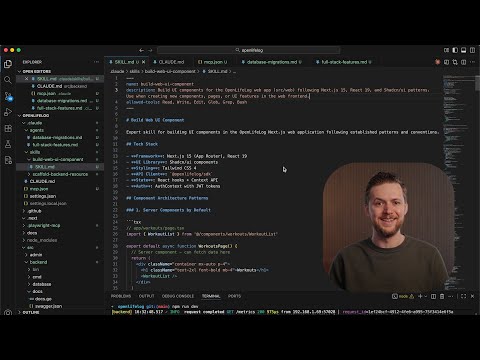
Code companion: in VS Code, open the command palette, run Git: Clone, paste https://github.com/hamzafarooq/claude-code-starter.git. Open the folder. The path you care about for this chapter is .claude/skills/.
What's in there:
prd-generator: Generates a structured PRD from a feature description. Demonstrated in Chapter 2. The frontmatter says "Use when the user asks to write, draft, or create a PRD," which means Claude will pull this in automatically when you say things like "draft a PRD for X."user-story-writer: Turns a PRD into sprint-ready user stories with acceptance criteria. Also demonstrated in Chapter 2. This is the second half of the PRD-to-engineering pipeline.
There are also a handful of bundled skills that Anthropic ships inside Claude Code itself. These are available in every session, without you installing anything. The ones worth knowing now:
/simplify: Reviews changed code for reuse and quality, then fixes what it finds./debug: Walks through a disciplined diagnosis loop for a hard bug./loop: Repeats a prompt or command on an interval (useful for polling or recurring tasks)./claude-api: Helps you build, debug, and tune Claude API and SDK code, including prompt caching.
These ship with the harness and behave the same way as the skills you'll write. Type / in the chat panel and the menu lists them alongside whatever you have in your own folders. The full list is in the commands reference.
The reason to spend a few minutes inside .claude/skills/ before writing your own is that real examples beat any description of what a skill "should" look like. Open prd-generator/SKILL.md, read the body, and ask yourself: where does the description end and the instructions begin? What does the output look like when this runs? Once you can answer those two questions about an existing skill, writing your own is a much smaller jump.
4.6 Live Build: The YouTube Researcher Skill
The live build for this chapter is a skill that takes a YouTube URL and returns a useful research summary. It's the kind of thing every PM ends up doing manually three or four times a week, and it's a clean fit for a skill: well-defined input, well-defined output, repeatable structure.
Open VS Code. In the Claude Code chat panel, type:
Create a new skill called youtube-researcher under ~/.claude/skills/.
It should research a YouTube video by URL: pull the title, channel, and
description, write a three-sentence summary, list five key points for a
PM audience, pull three to five short quotes, and end with one
"PM takeaway" sentence. Use WebFetch to retrieve the video page.
Claude will create the folder and write the SKILL.md. If you want to write it by hand instead, the file below is what you're aiming for. Save it as ~/.claude/skills/youtube-researcher/SKILL.md:
---
name: youtube-researcher
description: Researches a YouTube video by URL. Returns a summary, five key points, three to five short quotes, and a one-line PM takeaway. Use when the user shares a YouTube link and asks for a summary, breakdown, research notes, or "what's this video about."
allowed-tools: WebFetch
---

You are researching a YouTube video the user shared.

## Step 1: Fetch

Use WebFetch on the URL to retrieve the video title, channel, description,
and (if available) auto-generated transcript or top comments.

## Step 2: Summary

Write a 3-sentence summary. Lead with the speaker's main argument, not the
topic. State the argument in their voice when possible.

## Step 3: Key points

List 5 key points. One sentence each. Order by relevance to a product
manager audience, not by the order the video covers them.

## Step 4: Quotes

Pull 3-5 short quotes (under 25 words each) that capture the speaker's
voice or sharpest claims.

## Step 5: PM takeaway

End with a single sentence beginning "PM takeaway:" that names what a
product manager should actually do differently after watching.

Output as markdown. Do not add a preamble. Begin with the title and channel
on the first line.
Save the file. In the chat panel, type:
/youtube-researcher https://www.youtube.com/watch?v=fOxC44g8vig
If everything is wired correctly, Claude fetches Anthropic's "Claude Agent Skills Explained" video, summarizes it, lists five PM-facing points, pulls quotes, and ends with the takeaway. The output is the same shape every time. You do not type instructions. You type a URL.
The whole skill is forty lines. The first time you write it, it costs you ten minutes. Every time you run it after that, it costs you the time to paste a URL. Multiply that across the videos you'd otherwise be transcribing by hand, and the math gets uncomfortable in your favor within a week.
Community signal, r/ClaudeCode: How you can build a Claude skill in 10 minutes that replaces a process you have been doing manually for years
A short thread with the same arithmetic as this section, from someone who built their first skill on a Sunday and felt the rest of the week shift. Worth scrolling for the comments, where other PMs name the workflows they replaced.
4.7 Writing Your First Custom Skill
The YouTube researcher is a worked example. Your first custom skill should be something you actually do.
Pick a workflow you've done at least three times. Not something hypothetical. Something you found yourself doing manually last week, or that you'd otherwise do tomorrow morning. The first skill you write is not the one you'll be proudest of; it's the one that proves the pattern works on your own work. Common starters:
- A weekly status update with a fixed structure your manager expects
- A competitor teardown that always covers the same six dimensions
- A meeting prep doc you write the night before every recurring 1-on-1
- A user-research interview summarizer that pulls themes the same way every time
- A launch checklist you run through every time you ship a feature
Write the description first. This is the single most-leveraged sentence in the file. Describe what the skill does, then describe when to use it. Real example:
description: Drafts a weekly status update for engineering stakeholders.
  Covers what shipped, what's at risk, what's blocked, and what's next.
  Use when the user asks for a status update, weekly summary, or
  "send to leadership."
Read that aloud. The first half tells future Claude what the skill produces. The second half names three different phrasings the user might use to trigger it. Both halves matter. Without the first, Claude doesn't know what the skill is for; without the second, Claude doesn't know when to reach for it.
Then write the body the way you'd write instructions for a smart contractor who has done similar work before. Tell them what the goal is, what the inputs are, what the steps are, and what the output should look like. Resist the urge to explain why each step matters. You are not writing a tutorial. You are writing a checklist for a fast worker.
Three patterns that earn their keep in almost every skill body:
- Open with the goal in one sentence. The skill body sits in context for the rest of the session. The first line should be the contract.
- State the steps as numbered or bulleted lists. Plain prose works, but lists give Claude a structure to mirror, and you can read your own skill faster when you come back to debug it.
- End with the output format. "Output as markdown. Lead with the title. Do not add a preamble." Three lines like that save you ten rounds of correction.
When you finish a first draft, save the file. Open a new Claude Code session. Type /your-skill-name and watch what happens. You're going to want to change something within the first minute. That's normal. The next section is about that.
Deeper read: Claude Code Skills 101: Everything You Need to Get Started With, Youssef Hosni (Level Up Coding)
A long-form walkthrough that covers the same ground as 4.1 through 4.7 with more code samples and a slower pace. Useful as a second pass once you've shipped your first skill and want to see what else the frontmatter can do.
4.8 Testing and Tuning a Skill
A skill is never right on the first try. The first draft is a starting point. Testing is how you find out what's actually in your head versus what made it into the file.
The fast test loop is three steps.
Invoke the skill directly. Type /your-skill-name with the inputs the skill expects. Watch the output. Compare it to what you wanted. Be honest about the gap: not "this is bad," but "the third section is too long" or "it skipped the assumption flags" or "it gave me bullets when I wanted paragraphs."
Adjust the body. Most output issues are body issues. If a section is too long, add a length constraint to that section. If a step is being skipped, lift it out of prose and put it on its own line. If the tone is off, add a one-line voice note ("Write the summary in the speaker's voice, not yours"). Save the file. Run the skill again in a fresh session.
Adjust the description if the skill fires wrong. If you're invoking by name (/your-skill), the description doesn't affect anything. But if Claude is loading the skill on its own at the wrong moments, or failing to load it when it should, the description is the lever. Add trigger phrases the user actually uses. Remove phrases that overlap with other skills. Make the "use when" half more specific.
Two failure modes worth naming explicitly, because they cost the most time when you don't:
- The skill triggers when you don't want it. A skill called
competitor-researchwhose description says "research a company" will fire every time you mention any company by name. Tighten the description until the trigger condition matches the workflow, not the topic. "Use when the user asks for a competitor teardown or asks how a named competitor compares to us" is much better than "use when the user mentions a company." - The skill loads but Claude ignores half of it. This usually means the body is too long or too vague. Cut by half. Keep the contract, the steps, and the output format. Drop the explanations.
When a skill is right, you'll know. It will produce the same shape of output across three different inputs without you nudging it. At that point, stop tuning. Skills can be polished forever, but the return on the second hour of tuning is much smaller than the return on the first.
If a skill stops working a session or two after you wrote it, the most common cause is that something earlier in the session changed Claude's behavior. Open a fresh session (/clear or restart) and try again. If it works in a fresh session and not in a long one, that's a context issue, not a skill issue. Invoke the skill closer to when you need it, or move the relevant instructions into CLAUDE.md so they don't get lost in a long conversation.
4.9 The PM Skill Library: Ten Skills Worth Building
A starter list. Each of these is a workflow most PMs do weekly. Each is a 20-to-40-line SKILL.md. Pick the three that sound most like your current week and write those first.
| Skill | What it does |
|---|---|
prd-generator | Drafts a structured PRD from a feature brief (course default; see 4.5). |
user-story-writer | Turns a PRD or feature description into sprint-ready user stories with acceptance criteria. |
youtube-researcher | Summarizes a video and pulls a PM takeaway (live build in 4.6). |
competitor-teardown | Audits a competitor along your six standard dimensions (positioning, pricing, distribution, product, gaps, "what we should steal"). |
weekly-status-update | Drafts a Monday-morning update covering shipped, at-risk, blocked, next. |
meeting-prep | Generates a prep doc the night before a recurring meeting: agenda, open items, decisions to surface, asks. |
meeting-recap | Turns raw meeting notes into a clean recap with decisions, action items, and owners. |
release-notes | Writes user-facing release notes from a git diff or feature list, in your house voice. |
exec-summary | Compresses a long doc (PRD, research report, post-mortem) into a 3-bullet exec summary. |
interview-synthesizer | Pulls themes, quotes, and contradictions from a batch of user-research transcripts. |
Three things to notice about this list:
- Every skill maps to a workflow you can name in one phrase. Skills that try to do two things at once are usually two skills wearing one hat.
- Most of them are personal (
~/.claude/skills/), not project-scoped. They follow you across companies and codebases. - The hardest one to write is whichever one you do most often. That's the one where you've internalized the steps without writing them down. The hour you spend writing it is the hour you pay back every week for the next year.
You don't need ten skills to feel the change. You need three. Pick three from the table, write them this week, and let the next week be the test of whether your day moves.
4.10 From Skills to a Personal Workflow System
Once you have three or four skills in ~/.claude/skills/, something quietly shifts. The folder stops being a place you remember to look at and becomes the muscle memory of your week.
The shift looks like this. On Monday morning, instead of opening a blank page and reaching for a template, you type /weekly-status-update and start with the draft. On Tuesday, when a teammate sends you a YouTube link, you type /youtube-researcher and skim the output while you make coffee. On Thursday afternoon, when you're prepping for a 1-on-1, you type /meeting-prep and the structure of the conversation is already on the page before you've thought about it. Each of these is a small move. Compound them across a week and you've taken back hours.
There is also a secondary effect that doesn't show up until month two: your skills become a personal style guide for the way you think. The PRD skill is your PRD voice. The status update skill is your update voice. When you onboard a new teammate, you can send them a tarball of your ~/.claude/skills/ folder and they have a starter pack for working the way you work. When you change jobs, those skills come with you. When you teach the way you work to someone else, the skills are the curriculum.
This is what the chapter title means. Refactoring is the engineering word for pulling repeated structure out of code into reusable pieces. My day is the codebase. Without them is the part most PMs miss until they try it: refactoring used to require an engineer. Now it doesn't. The skill is plain markdown, the harness is your laptop, the cost is twenty minutes per pattern. You can refactor the parts of your job that always needed someone else and do it alone, over a coffee, on a Tuesday.
A short word of caution. The first month of writing skills feels productive in a way that can become its own distraction. Don't spend Friday writing a skill for a workflow you'll do once next quarter. Write skills for the work you're already doing this week. The skill you don't write is one of Goya's owls; the skill you write for next quarter's hypothetical work is just a different owl.
4.11 Where Skills End
Three skills in, you'll start to feel a different kind of friction. It does not look like a bug. It looks like the work getting messy.
Here's the scene. You open Claude Code on a Tuesday. You run /competitor-teardown on a company you've been tracking. The output is clean. Then, in the same session, you run /weekly-status-update. The status update comes back with a section called "Competitive Landscape" you didn't ask for, written in the teardown skill's voice, citing the competitor you just researched. You didn't do anything wrong. The teardown skill's body is still in context. It hasn't gone away. Every instruction it gave Claude (use these six dimensions, write in our house comparison voice, end with "what we should steal") is still shaping every reply.
Skills are not isolated. They share your conversation. They share your tools. They share your token budget. The first time you chain three of them in one session, you'll see them step on each other in ways that look like Claude getting confused. Claude is not confused. Three sets of instructions are running at the same time, and the last one to load is winning.
There are workarounds. You can /clear the context between skills. You can run them in fresh sessions. You can move the unavoidable parts into CLAUDE.md so they don't leak. These work, and you should know them. But they all have the same shape: you, the human, doing the orchestration. You, the human, keeping the rooms separate. That is the ceiling. Skills give you named workflows. They do not give you a team.
The work that bursts through this ceiling shares a pattern. It needs three or four different lenses applied in parallel. A real competitive teardown wants a researcher who reads the web, a copy writer who fits your house voice, a PRD reviewer who reads your existing roadmap, and someone to summarize all three at the end. Four jobs, four contexts, one afternoon. You can do it with skills if you babysit every handoff. You can also stop babysitting.
The next chapter is about hiring.
4.12 Chapter Assignments
Exercise 4.1: Ship one skill in twenty minutes.
Pick a workflow you did at least twice last week. Open ~/.claude/skills/, create a folder, write a SKILL.md (frontmatter + body). Save. Open a new Claude Code session and invoke it by name. Note one thing you'd change. Change it. Run again. Stop after twenty minutes regardless of whether it's perfect.
The goal is the muscle memory of writing and shipping a skill, not the perfect skill. The second one is much easier than the first.
Exercise 4.2: Audit your CLAUDE.md for skills hiding inside it.
Open your project's CLAUDE.md. Find a section that has grown into a procedure rather than a fact: "When I ask for X, do these five steps." Cut that section out of CLAUDE.md and turn it into a skill at .claude/skills/<name>/SKILL.md. The description should be the trigger phrase you removed. The body should be the five steps.
You're moving the load off the always-loaded file and into the on-demand file. CLAUDE.md gets shorter. Sessions get faster.
Exercise 4.3: Build the YouTube researcher and use it once a day for a week.
Type out the SKILL.md from 4.6 (or have Claude generate it). Save it. Then commit to running it on one video a day for the next five workdays, no matter how short or unrelated to your current work the video is. The point of the exercise is not the research output. It's the rewiring of the reflex: when a link arrives, the next move is /youtube-researcher, not "I'll watch it later."
By Friday, you'll know whether the reflex took. If it did, your next ten skills will write themselves.
4.13 Prompts Worth Saving
Drop these into a prompts/ folder. They keep working across projects and across skill libraries.
Skill scaffolder:
Create a new skill at ~/.claude/skills/<NAME>/SKILL.md with this brief:
- What it does: <one sentence>
- When to invoke: <trigger phrases I actually use>
- Inputs: <what I'll pass it>
- Output: <what should come back>

Write the frontmatter description tight: what + when. Keep the body
under 60 lines. Lead with the goal, list the steps, end with the
output format.
Skill auditor:
Read every SKILL.md under ~/.claude/skills/ and .claude/skills/.
For each one, tell me:
- Does the description name both what the skill does and when to use it?
- Is the body under 100 lines?
- Are there duplicate skills (two skills that would trigger on the
  same request)?
- Which skills haven't been touched in the last two months? Flag them
  for review.
Skill from CLAUDE.md:
Read my CLAUDE.md. Find any section that reads more like a procedure
("when I ask for X, do steps 1-5") than a fact. For each one, propose
a SKILL.md to extract it into, with the description and the body.
Don't write the files yet. Show me the proposals first.
The Goya prompt (for finding monsters):
Help me find the workflows I do from scratch every week and shouldn't.
Ask me what I did this week. For each repeated activity I name, decide
if it's a candidate for a skill, and if so, draft the description in
one sentence. Don't write the bodies yet.
Summary
- A skill is a
SKILL.mdfile that does the remembering for a repeated workflow. You write the structure once in plain English and then call it by name, which cuts the cost of automating a workflow from a sprint of engineering work to about twenty minutes of typing. - Skills live in
~/.claude/skills/(personal, available in every project) or.claude/skills/(project, available only inside that project). At the start of a session Claude Code loads only each skill's description and leaves the body on disk until something triggers it. Anthropic calls this progressive disclosure. - You can invoke a skill directly by typing
/skill-namein the chat panel, or Claude can load it for you when your request matches its description. Once loaded, the body stays in context and shapes every reply for the rest of the session. - A
SKILL.mdhas YAML frontmatter and a markdown body. Thedescriptionmatters most because it tells Claude what the skill does and when to use it. The body states the goal, inputs, steps, and output format, and should stay short (the official guidance is under 500 lines, and most useful skills are well under 100). - CLAUDE.md holds facts Claude should always know, and skills hold workflows Claude should carry out when asked. Slash commands are the older form and have been merged into skills, so new work goes in skills.
- The
youtube-researcherlive build shows the payoff: about forty lines written once turn every video you'd otherwise summarize by hand into a pasted URL that returns the same shape of output every time. - Write your first skill for a workflow you've done at least three times, write the description first, and test the skill in a fresh session. Fix output problems in the body and triggering problems in the description, and stop tuning once it gives the same shape of output across three different inputs.
- You don't need all ten skills in the PM library to feel the change. Three skills for work you're already doing this week, mostly kept in
~/.claude/skills/, become a personal workflow system that follows you across jobs. - Skills share your conversation, tools, and token budget, so several skills in one session can step on each other. Clearing context or opening fresh sessions fixes this, but you are still the one doing the orchestration. That is the ceiling that sub-agents lift in Chapter 5.
What's Next
It's 3pm on a Friday. You have a competitive teardown on three companies due Monday. You open Claude Code. You type one prompt:
Run competitor-teardown on Linear, Notion, and Granola in parallel.
For each one, also have copy-writer rewrite the "what we should
steal" section in our house voice. Save each teardown to its own
file. Summarize the three at the end.
You close the laptop. You drive home. Monday morning, three teardowns are sitting in your repo. Each is in its own voice. Each cites different sources. None of them stepped on the others, because none of them shared a context. Four sub-agents did the afternoon's work while you were elsewhere.
That's the difference between a skill and a sub-agent. A skill is a named workflow loaded into your current conversation. A sub-agent is a named workflow that runs in its own room, with its own tools, its own model, and its own job, and reports back when it's done. By the end of Chapter 5, you'll have a small bench (a researcher, a copy writer, a PRD reviewer, a code reviewer) you can call by name the way you call a skill, and chain together into pipelines that finish an afternoon of work in one prompt.
Goya's man at the desk is awake. The owls dispersed once. He is still doing the work alone.
The next move is hiring.
More:
- Anthropic skills doc: Extend Claude with skills
- Anthropic video: Claude Agent Skills Explained
- Open standard: Agent Skills (agentskills.io)
- Code companion: hamzafarooq/claude-code-starter/.claude/skills
- Enroll on Maven: Forward Deployed Engineering Bootcamp
Sources used in this chapter:
- Anthropic: Extend Claude with skills (docs)
- Anthropic: Claude Code commands reference
- Video: Claude Agent Skills Explained, Anthropic
- Medium: Claude Code Skills 101, Youssef Hosni (Level Up Coding)
- Reddit: How you can build a Claude skill in 10 minutes (r/ClaudeCode)
- Repo: hamzafarooq/claude-code-starter
- Quote: Sylvia Plath, The Unabridged Journals of Sylvia Plath (ed. Karen V. Kukil, 2000), entry of January 7, 1959
- Painting: Francisco Goya, The Sleep of Reason Produces Monsters (1799), Plate 43 of Los Caprichos. Nelson-Atkins Museum of Art, Kansas City