
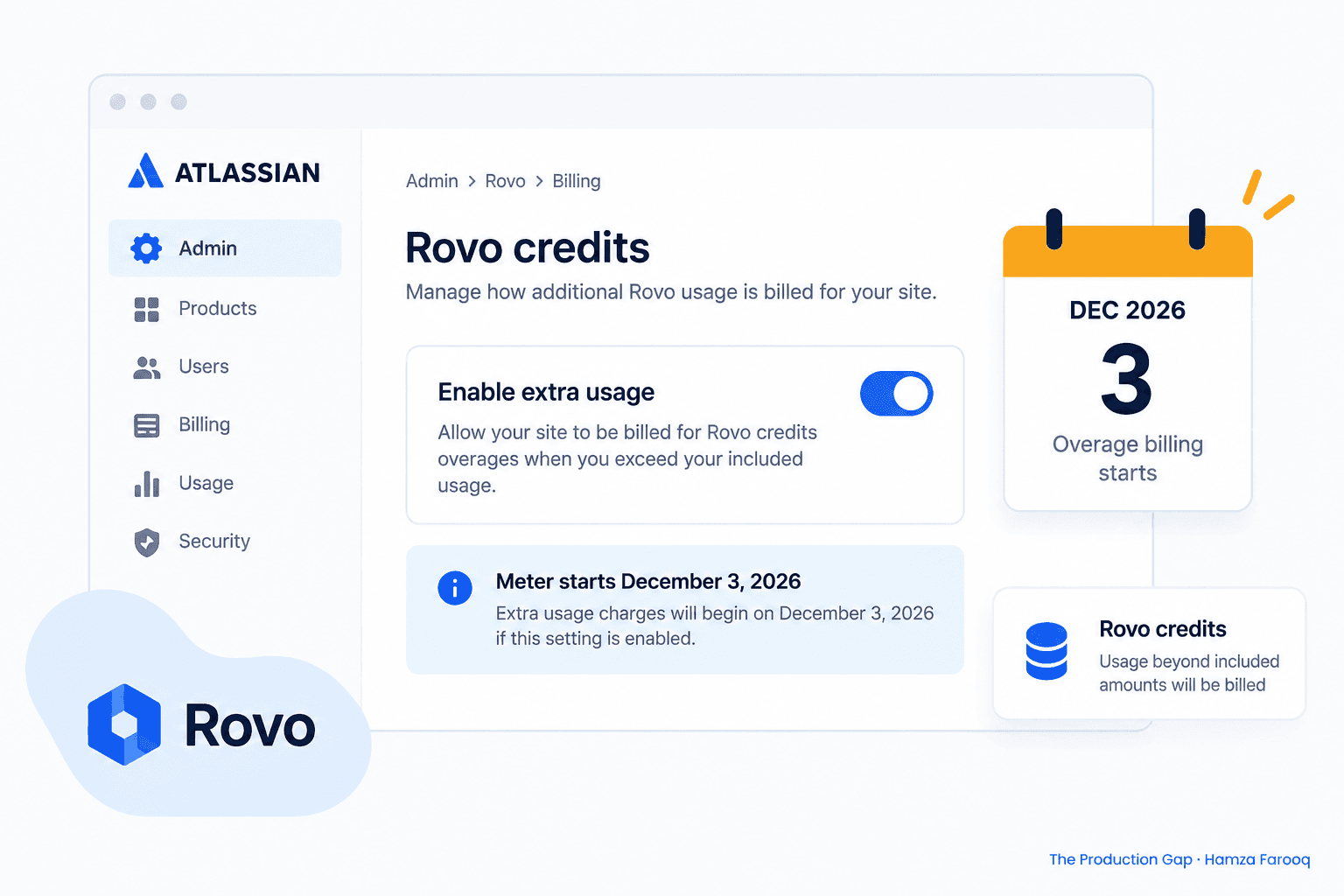
TL;DR: Rovo credits overage billing begins December 3, 2026. As of publication, Jira admins must disable the extra-usage toggle in Atlassian Administration before that date or risk automatic charges when their organization exceeds its credit pool. Credit allocations vary by plan tier and contract, and features like Rovo Dev require separate access that many sites cannot yet use. Audit your settings now to avoid paying for capacity you cannot actually consume.
Rovo Dev credits are separate from Rovo credits; Rovo Dev credits can be used only for Rovo Dev features such as the CLI or code reviews and are different from Rovo credits used for Chat, agents, and Deep features.
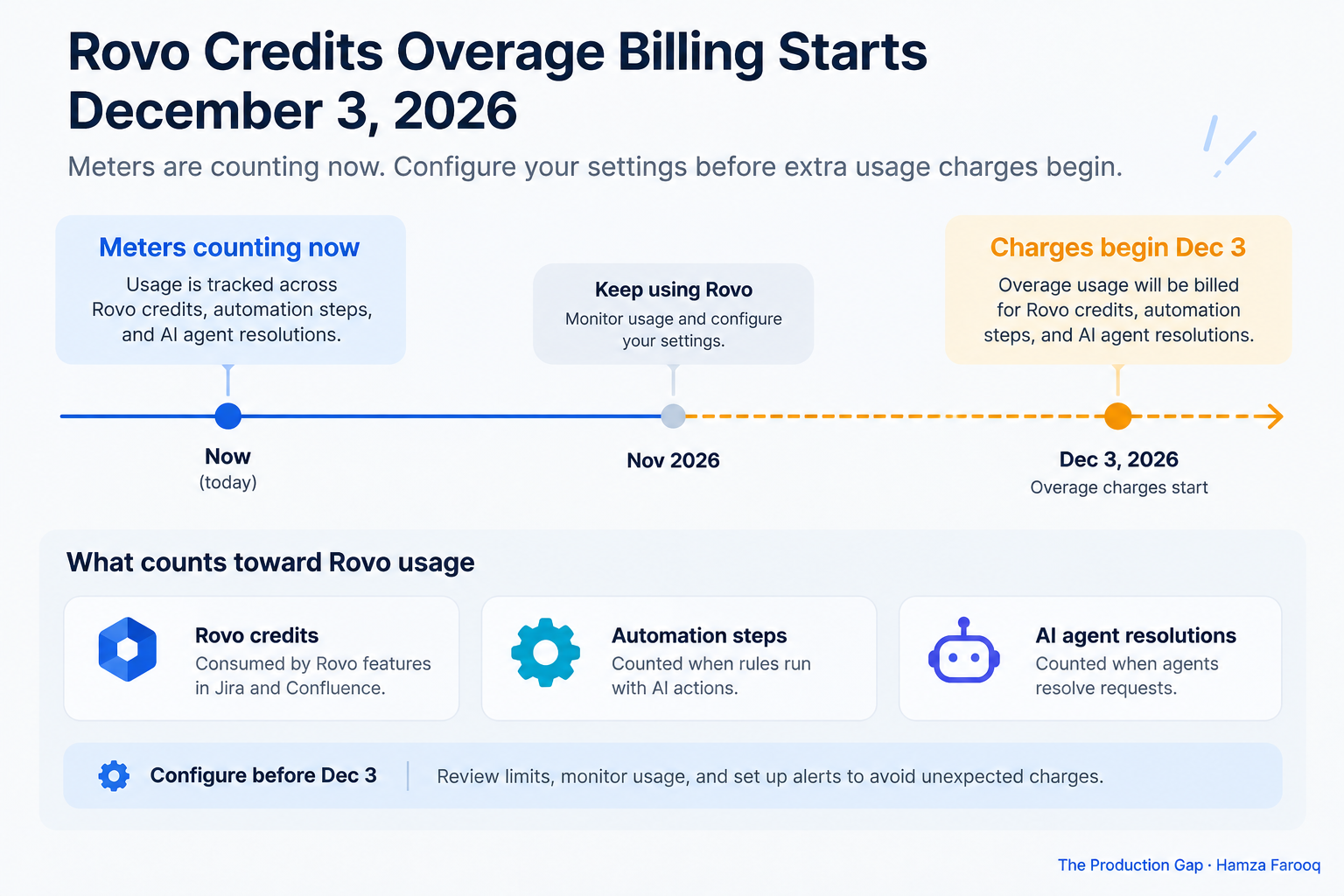
Usage limits and billing for Rovo credits, Automation steps, and AI agent resolutions take effect December 3, 2026.
Key takeaways
- The extra-usage toggle controls overage charges: One setting in Atlassian admin determines whether your org gets billed beyond its included pool.
- Rovo Dev credits are billed separately: Rovo Dev runs on its own meter, and community reports confirm charges on accounts that cannot access the feature.
- Know your pool size before estimating exposure: Check your included allowance directly in the Atlassian admin Billing center, as published figures may not reflect your specific contract.
- Automation steps draw from the same pool: High-volume automation rules can quietly drain your credit balance alongside AI features.
- Audit agent and automation usage before December 3: Pull a usage report now to identify top consumers while you still have time to act.
- December 3 is weeks away. Billing for Rovo credits, Automation steps, and AI agent resolutions starts that day. Community reports show Rovo Dev charges landing on accounts that cannot access it, confirming that metering runs at the org level regardless of individual entitlements. This week: verify the extra-usage toggle, check plan allocations against actual burn, and cut phantom spend before enforcement hits.
What exactly starts billing on December 3 and which meters are affected?
Three meters become real charges on December 3, 2026, the moment your org exceeds its included pool, if extra usage is enabled.
What changes December 3 is that going over your pool stops being free. Atlassian Cloud AI credits are pooled org-level allowances covering Rovo Chat, agents, Deep features, Automation executions, and AI agent resolutions, all one bucket.
Rovo Dev is an important exception. Its credits run on a completely separate meter used only for Dev features like the CLI and code reviews. That separation creates a real billing risk: community reports confirm charges for Rovo Dev on accounts that cannot access it. An entitlement misconfiguration does not stop the meter, because metering runs at the org level.
How do I find and set the "enable extra usage" overage toggle in Atlassian admin today?
The "Enable extra usage" toggle in Atlassian admin is the only control that blocks or allows Rovo credits overage billing on December 3, so verify its live state in your tenant now, because your org's default may not be what you expect.
Your tenant's default depends on its rollout history, plan tier, and provisioning date. Verify the live setting directly rather than assuming any particular default applies to your org.
Step-by-step to verify and set the toggle:
- Open admin.atlassian.com and select your org.
- Navigate to Billing > Usage & limits, or Products > Rovo / AI usage settings if your layout differs.
- If neither path is visible, search "Usage" in the admin search bar.
- Find the toggle labeled "Enable extra usage" or "Allow charges beyond included credits."
- Read the confirmation text beneath it, which will specify when billing applies.
- Make a deliberate choice: disable to block overage charges entirely, or leave it enabled with budget alerts configured.
- Save, take a dated screenshot, and log a change record.
Do not rely on any external guide as a substitute for checking your own tenant. If you are in a governance-sensitive environment, calendar a weekly check through January and set a Cloud admin alert for any billing threshold change.
How many Rovo credits do we get by plan, and when will overage kick in for our org?
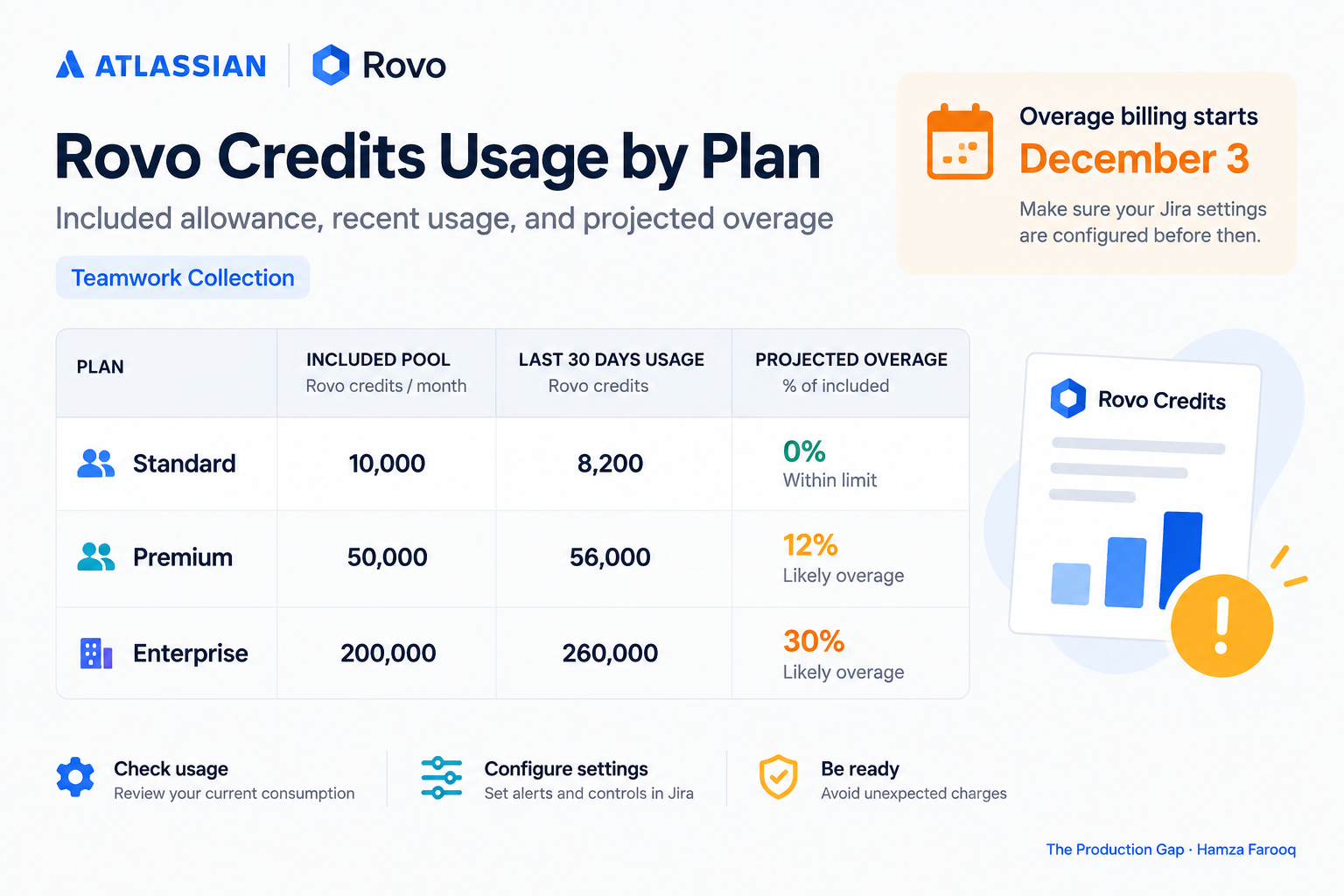
Your included Rovo credit pool is set by your Atlassian Cloud plan tier and contract, and overage starts the moment pooled consumption exceeds that allowance within your billing cycle, if extra usage is enabled.
Standard-tier orgs should verify their specific allowance in admin, as published figures vary by contract and may not match what any external guide lists. Pools aggregate at the org level across all products. Pull your current allowance directly from admin.atlassian.com > Billing > Usage & limits at the moment you audit rather than relying on published figures, which may not reflect your specific plan configuration.
Use this framework (the Plan-to-Pool Quick Estimator, an author synthesis for projecting overage risk) to structure your audit:
| Plan tier | Included pool | Last 30-day usage | Projected over/under | Recommended action |
|---|---|---|---|---|
| Example: 50-user Standard org | Hypothetical: verify in admin (this row is illustrative only) | Hypothetical: export report | Calculate delta | Throttle if >80% of allowance |
| Standard | (check admin) | (export report) | Calculate delta | Throttle if >80% |
| Premium | (check admin) | (export report) | Calculate delta | Alert if >90% |
| Enterprise | (check admin) | (export report) | Calculate delta | Freeze top consumers |
The math only works when you pull both numbers from the live admin report. Any org can project a meaningful overrun if Automation accounts for the bulk of burn, so check actual consumption before drawing conclusions.
How do I audit and stop "phantom spend" from Rovo Dev and Automation before charges start?
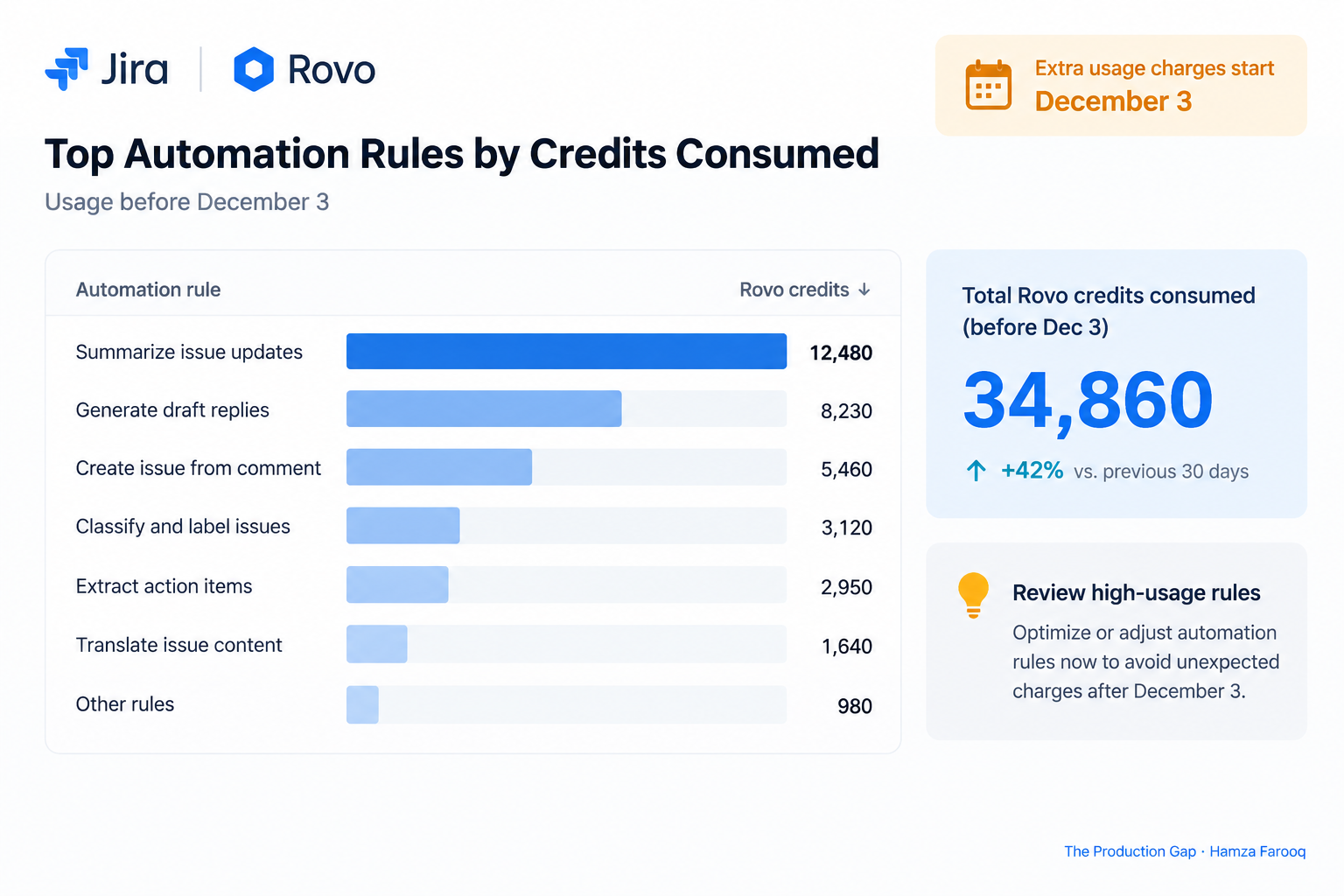
Use Atlassian's updated automation usage report to identify the top credit-consuming rules, cross-check Rovo Dev entitlements against its separate meter, then disable or scope the offenders before December 3.
Automation audit: Go to Project automation > Usage report, sort by Rovo credit consumption descending, and pause the highest-consuming rules. Review which rule types are driving the most spend and consider narrowing their trigger conditions or scope before re-enabling them.
Rovo agents audit: Export agent usage from the Rovo admin panel. Restrict permissions, narrow trigger scopes, and throttle schedules on the highest consumers.
Rovo Dev entitlement audit: Pull the list of users with Rovo Dev product access and compare against Rovo Dev meter usage. If usage is above zero but no users should have Dev access, disable Rovo Dev at the org level and open a support ticket with log evidence.
As a practical rule of thumb used in this guide: consider a change freeze from November 25 through December 5 to prevent new automation rules or agent deployments from adding unexpected consumption during the enforcement window.
Frequently Asked Questions
Is the extra-usage setting enabled by default on my org, and where do I check?
Defaults vary by tenant history, plan tier, and rollout timing, so no external guide can tell you reliably. Open Atlassian admin > Billing > Usage & limits and read the live toggle state directly in your tenant. Take a dated screenshot and log your finding as a change record.
What is the per-credit overage cost for Rovo and where is it officially documented?
Atlassian has not published a single universal per-credit rate that applies across all plans and contracts. Your org-specific overage rate, if any, is defined in your Billing center price card. To find the rate that applies to your account, go to admin.atlassian.com > Billing > Usage & limits and review the price card listed there, or contact your Atlassian account representative for a written confirmation before December 3.
How do I see which automation rules or Rovo agents consume the most credits?
Use Atlassian's automation usage report, which shows per-rule consumption of Automation steps and Rovo credits. Sort by most expensive and pause the top offenders.
Can I disable Rovo or Rovo Dev for specific users to prevent charges?
Yes, remove product access and feature flags at the group or project level. For Rovo Dev, treat this as urgent: it bills from a separate meter and charges at the org level even when individual users lack access.
Conclusion
December 3 turns three live meters into three billing exposures the moment your org crosses its included pool, if extra usage is on.
Open Atlassian admin now and read the "Enable extra usage" setting in your live tenant. Set it deliberately, screenshot it, then pull your included pool from the live Billing center and compare against the last 30 days of consumption. If you are above 80% of allowance, treat the automation audit as urgent.
What should Jira admins do before December 3?
Your three actions, in order:
- Right now: Open Atlassian admin and set the extra-usage toggle intentionally. Screenshot it and log the change.
- Within 48 hours: Export your usage report, pause top credit consumers, and document your plan allowance from the live Billing center. Confirm your Rovo Dev meter shows zero if no users should have access.
- Before December 3: Lock entitlements, set budget alerts, disable unauthorized Rovo Dev access, and schedule a post-enforcement review for December 10 to catch any unexpected charges in the first billing cycle.
Learn from me
Agentic AI for Product Managers, my Maven cohort. Learn how to design, evaluate, and ship reliable AI systems: the technical fluency PMs need to lead agentic products, no engineering background required. Join the next cohort →
Hire us
Traversaal.ai. We're a team of forward deployed engineers solving the toughest AI problems for Fortune 100 companies: document intelligence, agentic data platforms, and real-time web intelligence, deployed in production. Work with our team to deploy your next agentic ecosystem. Talk to Traversaal.ai →
Join us
Want to solve these problems with us? We're always looking for forward deployed engineers who want to ship production AI. jobs@traversaal.ai
