
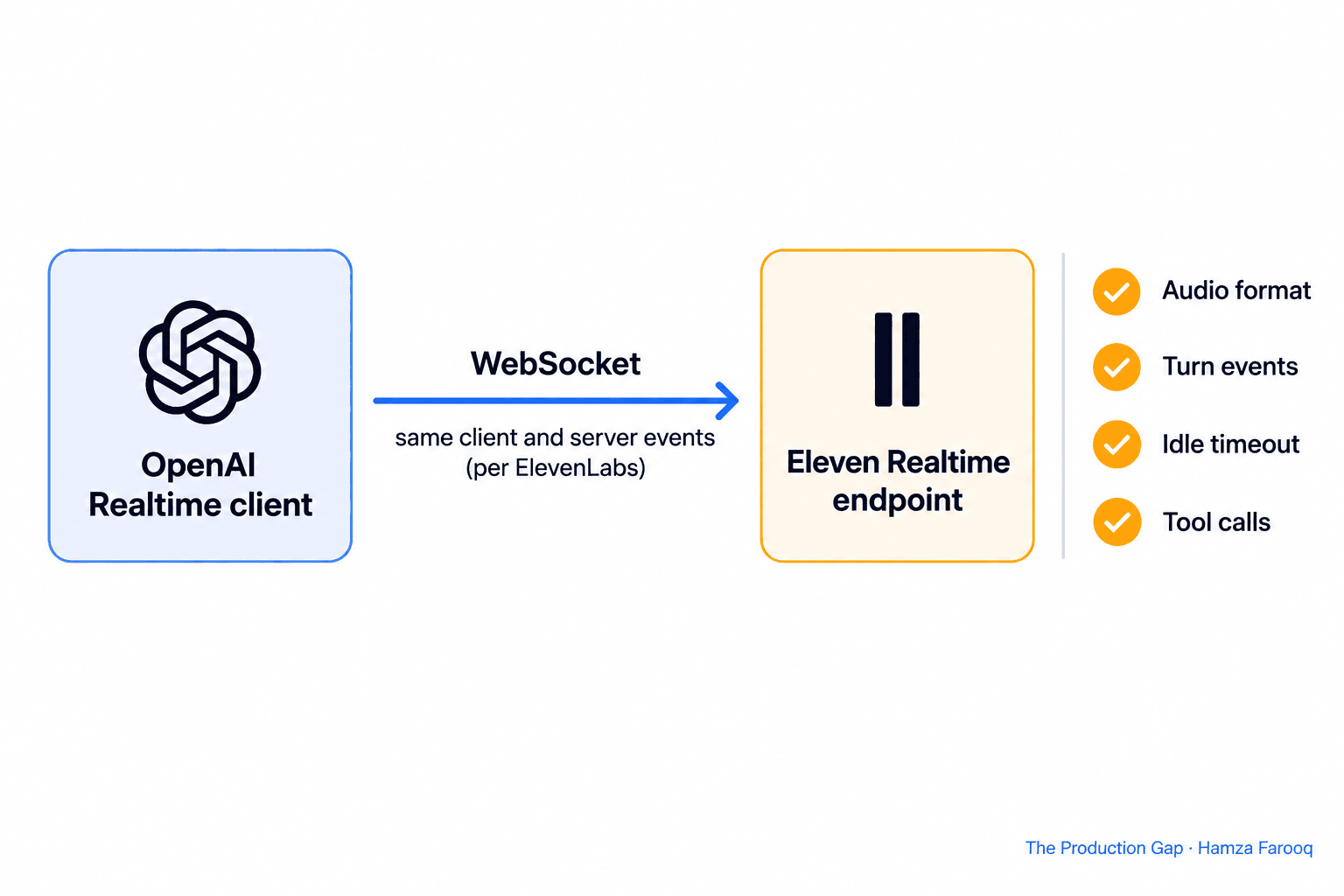
ElevenLabs says an OpenAI Realtime client can now connect to its Eleven Realtime WebSocket, so a voice agent built on the OpenAI client may need little more than a new endpoint and model name. The ElevenLabs changelog lists the feature along with Eleven Realtime v1 Mini and v1 Max as voice modes and a longer idle timeout. Before you swap anything in production, test audio, turn handling, idle behavior, tool calls and latency.
TL;DR: ElevenLabs states that Eleven Realtime uses the same client and server events over the same WebSocket transport as OpenAI's Realtime API, so an OpenAI Realtime client can connect to it. Its docs do not cover everything, though. Test the 24kHz PCM16 audio path, turn commit behavior, the 3-minute idle timeout, your tool calls, and server-side usage, and measure latency yourself instead of relying on the speed figures in the launch post.
Key Takeaways
- Connection: The changelog says you can connect an OpenAI Realtime client to the Eleven Realtime WebSocket.
- Model choice: Agents can use Eleven Realtime v1 Mini or v1 Max as their voice mode.
- Idle sessions: Idle audio sessions now close after 3 minutes instead of 60 seconds.
- Reported numbers: Of the figures below, the launch post attributes only its Big Bench Audio figures to Artificial Analysis; it names no measurer for the tool-use or speed figures, so treat all as claims.
- Gaps: The guide covers the browser flow; server-side SDK documentation is not published yet.
What does the ElevenLabs changelog say about OpenAI Realtime clients?
The changelog says you can "connect an OpenAI Realtime client to the Realtime WebSocket" and that you can pick Eleven Realtime v1 Mini or v1 Max as an agent's voice mode. The same ElevenLabs changelog describes the release as completing the gradual rollout that started on October 19.
The entry also lists protocol details. Each manual input_audio_buffer.commit transcribes only the speech since the previous commit, and input_audio_buffer.clear drops buffered audio. Speech events are sent once per committed user turn instead of on every pause. Idle audio sessions close after 3 minutes instead of 60 seconds, after a session_idle_timeout error. The changelog gives no latency or accuracy figures.
How does the OpenAI Realtime client connect to Eleven Realtime?
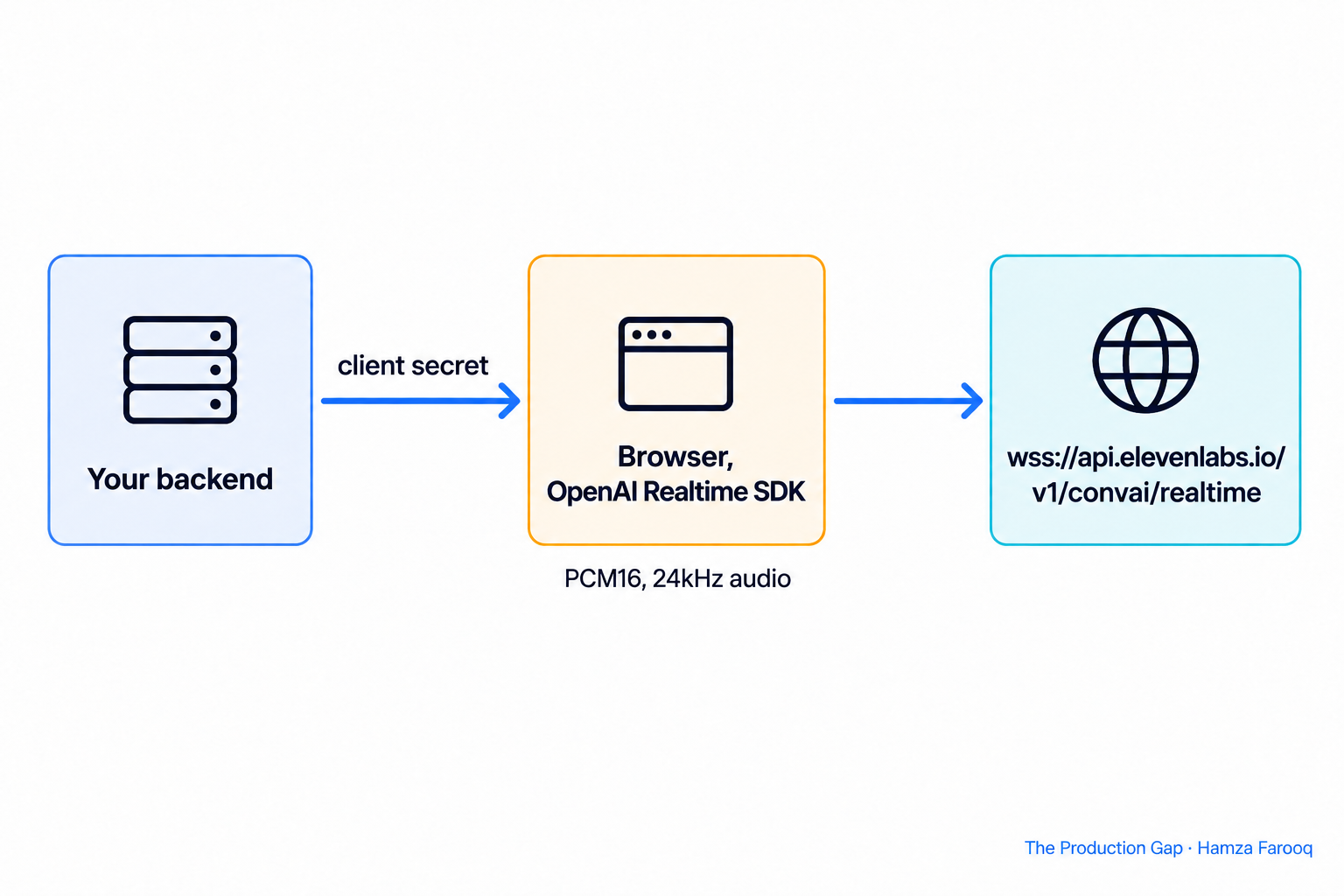
The compatibility guide says Eleven Realtime uses "the same client and server events, over the same WebSocket transport" as OpenAI's Realtime API. The ElevenLabs OpenAI Realtime compatibility guide gives the endpoint as wss://api.elevenlabs.io/v1/convai/realtime and uses the model string eleven_realtime_v1_mini in its example.
The documented flow has three steps. Your backend requests a client secret, so the ElevenLabs API key never reaches the client. The frontend passes that secret to OpenAI's Realtime SDK in place of an OpenAI API key. The WebSocket transport then points at the ElevenLabs URL.
The guide adds that the session configuration you send when minting the client secret is the authoritative initial session for that credential. Over WebSocket, it says you capture and play PCM16 audio at 24kHz yourself. The ElevenLabs launch post, dated October 20, says switching simply means changing the endpoint and model name.
Should you test Eleven Realtime v1 Mini or v1 Max?
Test both if cost and quality matter, because ElevenLabs describes Mini as the price and speed option and Max as the quality and complex-task option. The compatibility guide labels them that way, and the ElevenLabs launch post recommends Max for workloads with heavy tool calling.
The launch post reports the figures below. It attributes the Big Bench Audio row to Artificial Analysis; the tool-use and speed rows have no stated measurer. The changelog gives none of them.
| Metric (reported in the ElevenLabs launch post) | v1 Mini | v1 Max | Source note |
|---|---|---|---|
| Big Bench Audio, questions answered correctly | 75.9% | 98.8% | Artificial Analysis |
| Tool-use tasks completed | 60.3% | 87.1% | Launch post only (no measurer stated) |
| Average time to first audio | 0.62 seconds | 0.57 seconds | Launch post only |
None of the figures say anything about your prompts, tools, accents or network. Run your own call recordings against both models and compare transcripts, tool-call results and response timing.
What should you test before swapping a voice agent's endpoint?
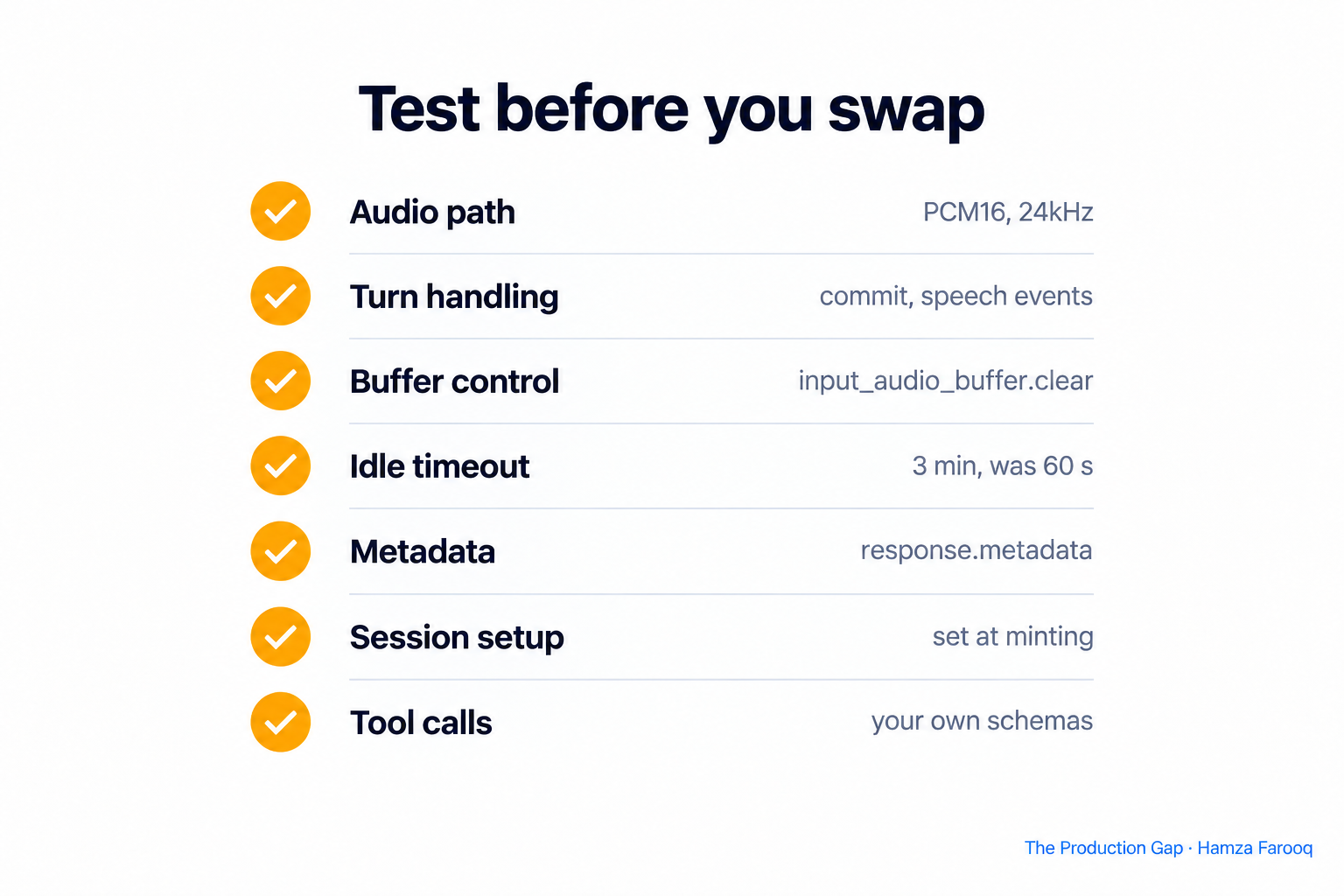
Run a short test plan that targets the places where a protocol-compatible endpoint can still behave differently for your code.
- Audio path. The guide says to capture and play PCM16 at 24kHz over WebSocket. Confirm your capture and playback code uses that format.
- Turn handling. The changelog describes manual commits that transcribe only the speech since the previous commit, and speech events sent once per committed user turn. If your interface relies on speech events or commit timing, replay recorded conversations and compare when each event fires.
- Buffer control. Test
input_audio_buffer.clearduring a barge-in, since the changelog says it drops buffered audio. - Idle timeout. Idle audio sessions close after 3 minutes, after a
session_idle_timeouterror. Check that your client handles that error cleanly. - Metadata. If you pass
response.metadatato tag responses, confirm it comes back onresponse.createdandresponse.doneas the changelog states. - Session setup. Because the minting-time configuration is the authoritative initial session, check that instructions, voice and turn detection match what you intended at the start of a call.
- Tool calls. The guide I read does not discuss tools. Run your real function schemas, including failure and retry cases, against the new endpoint.
Keep the old endpoint behind a flag and send a small share of traffic to the new one first.
What can you not verify from the published pages?
Several things are not stated on the pages cited here, so treat them as open. The compatibility guide says documentation for connecting from server-side OpenAI Realtime SDKs "isn't published yet" and that it covers the browser-based flow. If your agent runs on a server, you are working beyond the documented path.
The guide I read does not list unsupported events or feature differences from OpenAI's API. I did not verify the latency or accuracy figures independently, and I did not test the endpoint myself.
Frequently Asked Questions
Can I use an OpenAI Realtime client with ElevenLabs?
ElevenLabs says yes. The changelog states that you can connect an OpenAI Realtime client to the Realtime WebSocket, and the compatibility guide describes the same client and server events over the same WebSocket transport.
What is the difference between Eleven Realtime v1 Mini and v1 Max?
ElevenLabs positions Mini for price and speed and Max for quality and complex tasks. The launch post attributes the Big Bench Audio figures to Artificial Analysis: Max scored 98.8% against 75.9% for Mini. For tool-use, the launch post reports 60.3% and 87.1% without naming who measured them. None were independently verified here.
How long can an idle voice session stay open?
According to the changelog, idle audio sessions close after 3 minutes instead of 60 seconds, after a session_idle_timeout error.
Is it just an endpoint swap?
The launch post says switching simply means changing the endpoint and model name. The pages also describe a client-secret flow, a 24kHz PCM16 audio requirement and specific buffer and event behavior, so test those too.
Conclusion
Treat the compatibility claim as a reason to test. Start with a staging agent on Mini, then Max, using recorded calls and your own tool schemas. Check audio format, turn events, the 3-minute idle close and tool results. Move production traffic only after the results match your current endpoint.
Learn from me
Agent Engineering Bootcamp: Developers Edition, my Maven cohort. Advanced agentic RAG, multi-agent orchestration, memory, evals, and guardrails. Take agents from prototype to production. Join the next cohort →
Hire us
Traversaal.ai. We're a team of forward deployed engineers solving the toughest AI problems for Fortune 100 companies: document intelligence, agentic data platforms, and real-time web intelligence, deployed in production. Work with our team to deploy your next agentic ecosystem. Talk to Traversaal.ai →
Join us
Want to solve these problems with us? We're always looking for forward deployed engineers who want to ship production AI. jobs@traversaal.ai
