
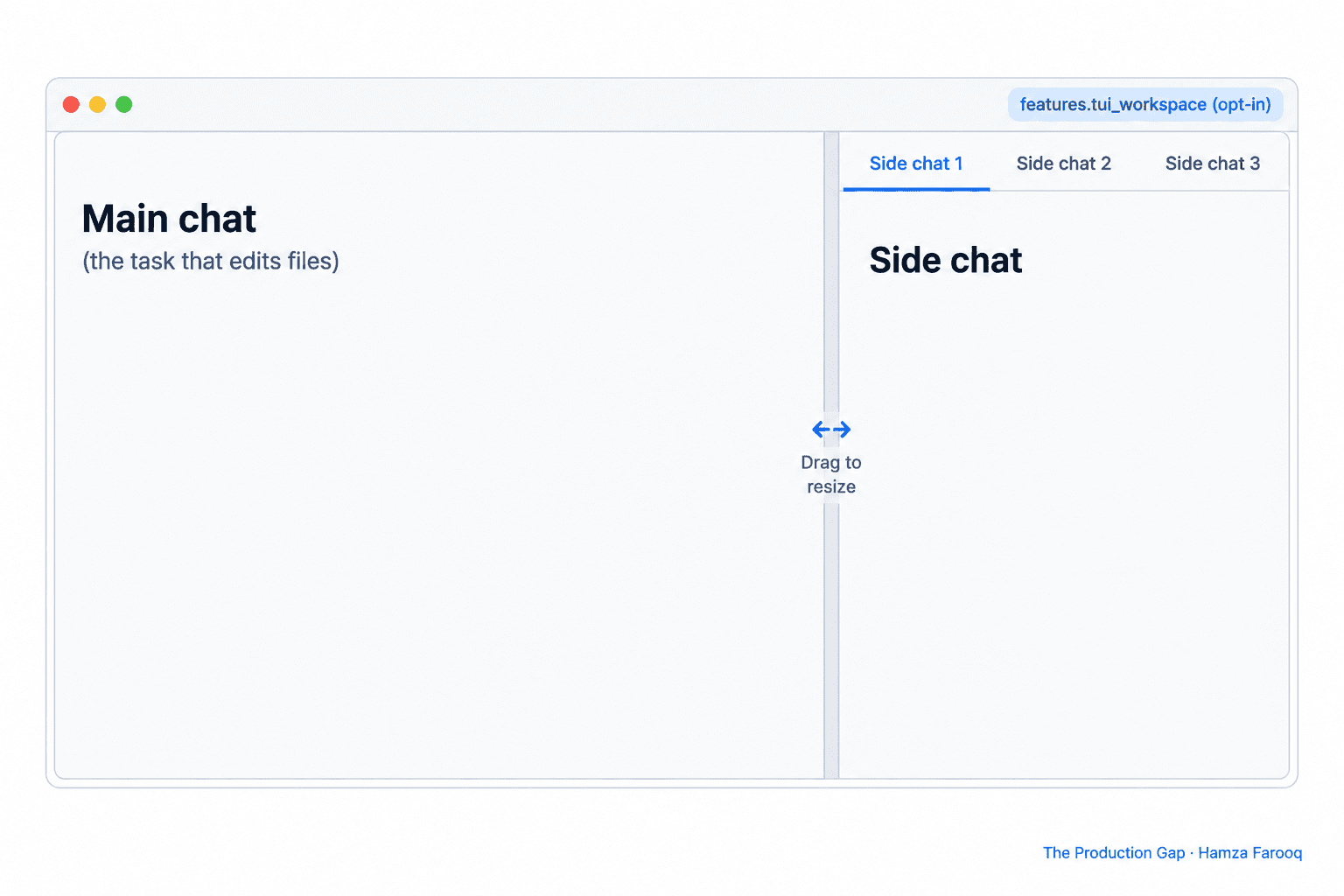
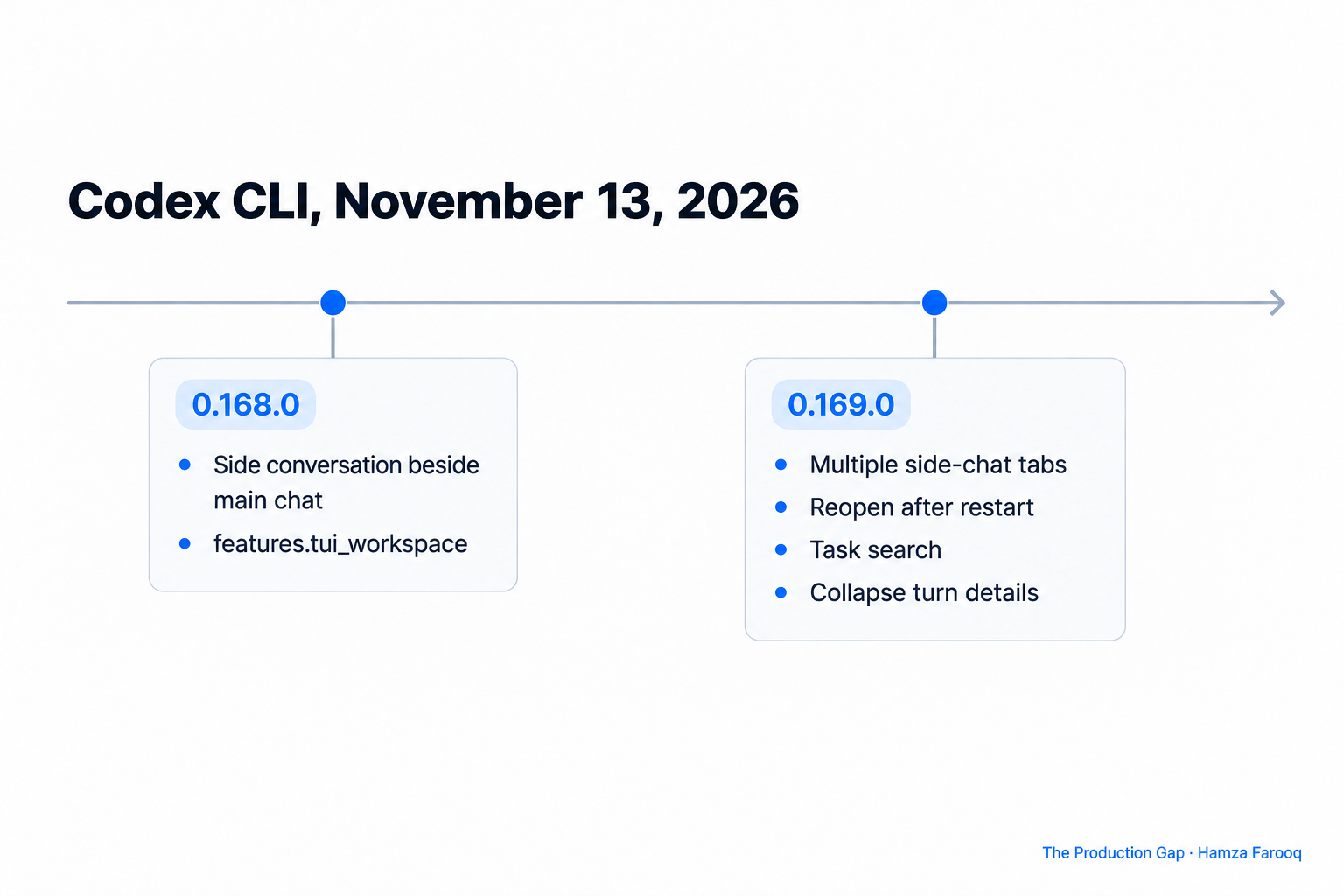
You can ask Codex a side question without derailing the main task by turning on the opt-in features.tui_workspace flag, which shipped in Codex CLI 0.168.0 and puts a side conversation beside the main chat. Version 0.169.0 added multiple side-chat tabs that reopen after a restart. Both releases landed on November 13, 2026.
TL;DR: Codex CLI 0.168.0 added an opt-in terminal workspace, enabled with features.tui_workspace, that shows a side conversation beside the main chat. Release 0.169.0 added several side-chat tabs that reopen after a restart, plus task search and collapsible turn details. Use the side pane for quick questions so the main task keeps its context. The release notes call the workspace opt-in, and Developers Digest reports it is off by default.Key Takeaways
- One flag: the side conversation pane sits behind
features.tui_workspaceand is opt-in. - Two releases: 0.168.0 added the pane and 0.169.0 added tabs, both published on November 13, 2026.
- Tabs persist: local side chats can be reopened after restarting Codex.
- Less scrolling: Collapse turn details folds finished activity under each prompt and keeps answers visible.
- Unverified details: the release notes print
leader zfor zoom but not the key combinations for the hide and focus shortcuts, and they give no enable command, so check those in your own install.
What is the Codex terminal workspace?
The terminal workspace is an opt-in layout in the Codex CLI that shows a second conversation next to your main chat. The Codex 0.168.0 release notes say to enable features.tui_workspace to view a side conversation beside the main chat. They also say you can drag the divider to resize the panes, or press leader z to zoom the focused pane.
The problem it solves is familiar. Asking a side question in the main thread adds noise to the context the agent works from. A side pane keeps the question near the task.
The 0.168.0 changelog lists supporting pieces as separate pull requests: a shortcut to hide the focused side pane (#59130), shortcuts to focus the main composer and the side conversation (#59208), and directional focus shortcuts in workspace mode (#59287). The notes name these shortcuts but do not print the key combinations, so I cannot tell you what they are.
How do you turn on tui_workspace?
You enable the tui_workspace feature, and the release notes name the flag but give no command. A third-party guide to Codex feature flags describes the general mechanism: flags live in the [features] table of ~/.codex/config.toml, codex features enable <name> writes them there, and --enable-feature <name> applies a flag to one run. That guide predates this feature, so treat the commands as the general pattern and confirm them with codex --help on your version.
Developers Digest reports that codex features list on 0.169.0 marks tui_workspace as under development and off by default. That is a secondary source, so run the command yourself.
What changed in 0.169.0: side-chat tabs and restart
Release 0.169.0 turns the single side pane into several side-chat tabs. The 0.169.0 release notes say the opt-in terminal workspace supports multiple side-chat tabs, that you can switch between them with the keyboard or mouse, and that you can reopen saved local side chats after restarting Codex.
One tab can hold a running question about the test suite, another can hold notes on an unfamiliar library, and the main chat stays on the task. The changelog also lists a sidebar chooser, tab close controls and nonblocking side-chat creation.
Two limits are worth stating. The notes say "saved local side chats," so do not assume cloud conversations behave the same way. And the notes do not say how many tabs you can open or how long saved chats are kept.
What else shipped alongside the side chats?
Task search and collapsible turn details help the same workflow, and both are in the 0.169.0 notes. Task search lets you search older tasks from the agent command center by name, prompt preview or working directory. If you run Codex across several repositories, the working directory filter narrows a long task list to one project.
Collapse turn details is a switch in the full-screen transcript. When on, it folds completed activity beneath each prompt while keeping answers visible and tool output searchable.
The same release changed codex exec. It keeps project configuration and MCP servers disabled in untrusted directories, even with --sandbox workspace-write. Use --trust with codex exec or codex review to save project trust explicitly.
Which release adds what?
The table maps each capability to the release that introduced it, based on the two release pages.
| Release | What it adds | How you use it |
|---|---|---|
| 0.168.0 | Side conversation beside the main chat, behind features.tui_workspace | Enable the flag, drag the divider to resize, press leader z to zoom |
| 0.169.0 | Multiple side-chat tabs, saved local side chats | Switch tabs by keyboard or mouse, reopen after restart |
| 0.169.0 | Task search in the agent command center | Search by name, prompt preview or working directory |
| 0.169.0 | Collapse turn details in the full-screen transcript | Turn it on to fold finished activity under each prompt |
How should you split work between the main chat and a side chat?
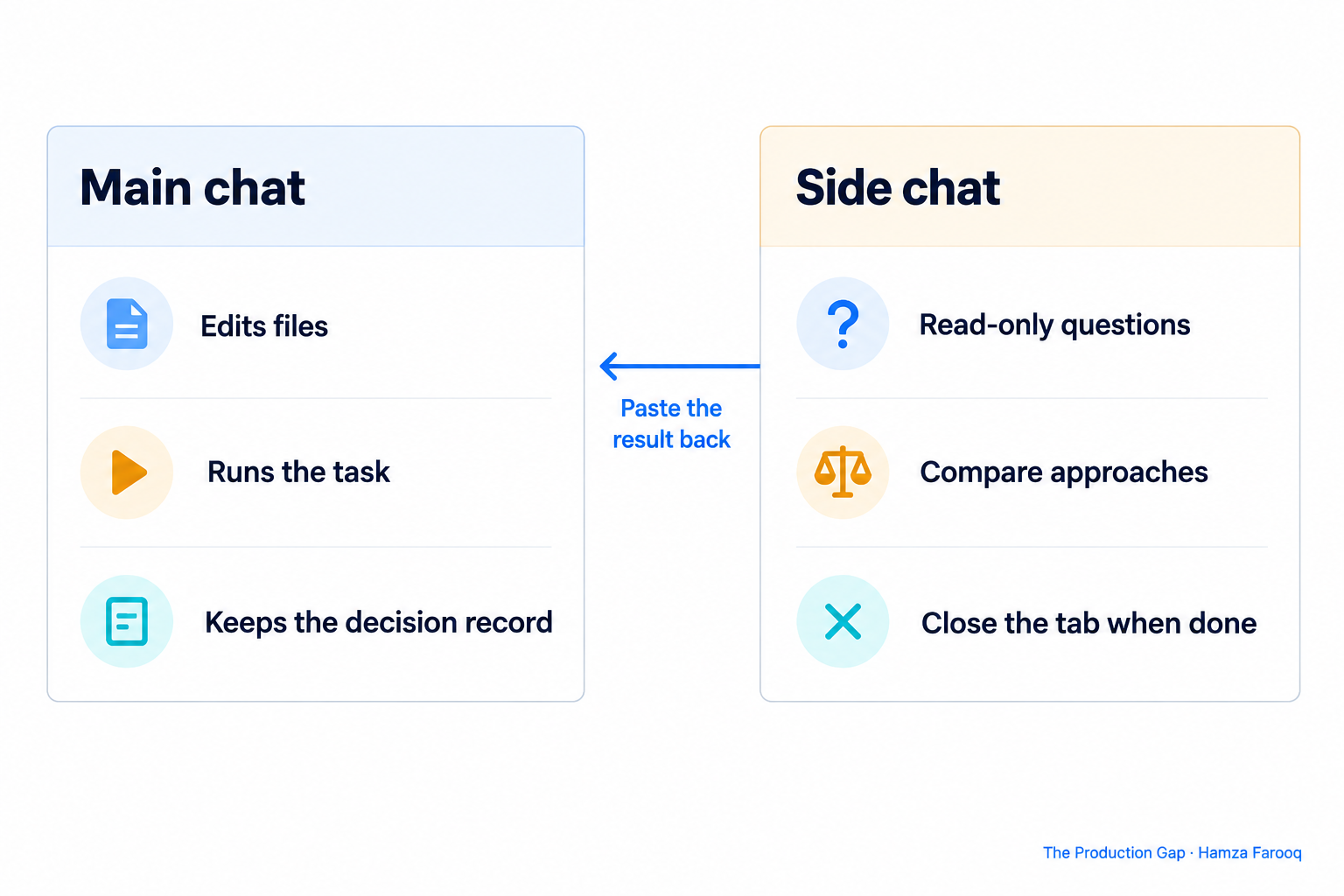
Use the main chat for the task that changes files, and use side chats for questions whose answers you only read. That rule keeps the main transcript short and the agent's context focused. The release pages do not prescribe this habit. It is my suggestion.
Good side-chat questions are "what does this config option do" or "compare two approaches before I choose." Poor ones depend on the main task's latest edits, because the side chat may not see them. I have not verified how the two threads share project context in these releases, so test a small case first.
When a side chat produces a decision, paste the short result back into the main chat yourself. That keeps the decision in the main record and lets you close the tab.
Frequently Asked Questions
What is features.tui_workspace in Codex CLI?
It is the opt-in feature flag that shows a side conversation beside the main chat in the Codex terminal interface. It was introduced in release 0.168.0. Release 0.169.0 builds on it with side-chat tabs.
Do side chats survive a restart?
Local side chats do. The 0.169.0 release notes say you can reopen saved local side chats after restarting Codex. The notes do not describe retention limits, so check how long your own saved chats last.
Does the side chat slow down the main task?
The release pages make no performance claim about this. Measure it on your own project before relying on it for long runs.
Which Codex CLI version do I need?
You need 0.168.0 for the side pane and 0.169.0 or later for multiple tabs, task search and collapsible turn details. Both were published on November 13, 2026.
Conclusion
If you already run long Codex tasks, enable features.tui_workspace on 0.169.0 and move quick questions into side-chat tabs. Keep the main chat for edits, check the shortcuts in your own install, and check the flag's status with codex features list, since Developers Digest calls it under development.
Learn from me

Claude Code in Practice, my Maven cohort. Master Claude Code from fundamentals to advanced orchestration: skills, subagents, hooks, MCP, and production automation. Join the next cohort →
Hire us
Traversaal.ai. We're a team of forward deployed engineers solving the toughest AI problems for Fortune 100 companies: document intelligence, agentic data platforms, and real-time web intelligence, deployed in production. Work with our team to deploy your next agentic ecosystem. Talk to Traversaal.ai →
Join us
Want to solve these problems with us? We're always looking for forward deployed engineers who want to ship production AI. jobs@traversaal.ai
