
Last updated: June 2026
TL;DR: Claude Cowork was discontinued as a standalone app and merged back into the main Claude chat interface, meaning all collaborative team features now live in a single unified product. Teams lose the dedicated Cowork environment but retain core functionality by recreating shared projects, custom instructions, and workflow shortcuts directly inside Claude's updated chat UI.
Key Takeaways (as of June 2026)
- The merger is structural: Chat, Cowork, and Code collapsed into unlabeled sidebar icons; the separation teams depended on is gone.
- Data loss is real and active: Scheduled tasks, chat histories, and project files have been wiped during the transition.
- Cowork mode still exists, it just moved: Access it through the unified interface's mode picker before assuming your workflows are broken.
- Automations need rebuilding: Scheduled tasks wired to standalone Cowork must be manually migrated.
- Open-source alternatives offer more stability: Teams needing a predictable standalone workspace have options that won't restructure overnight.
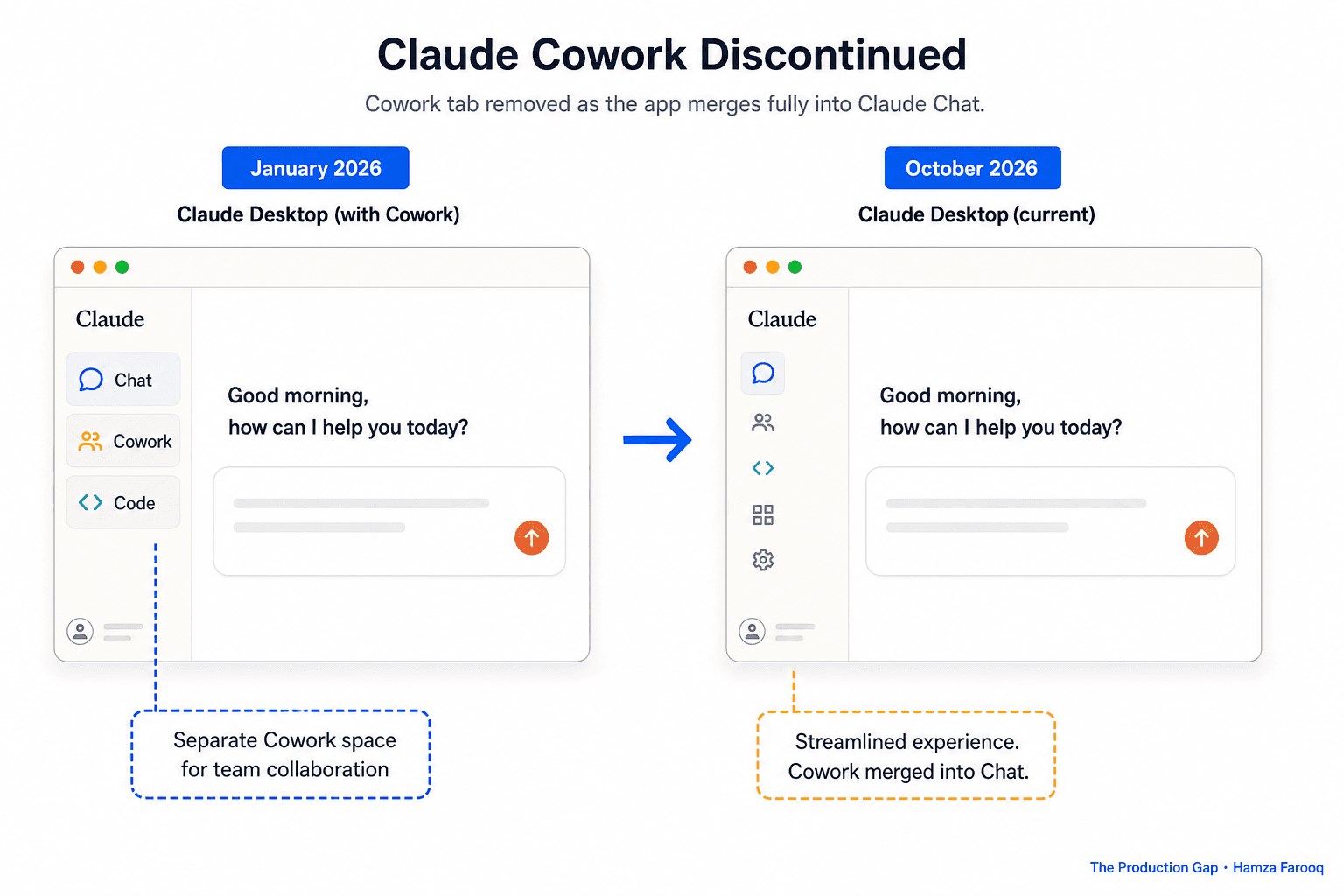
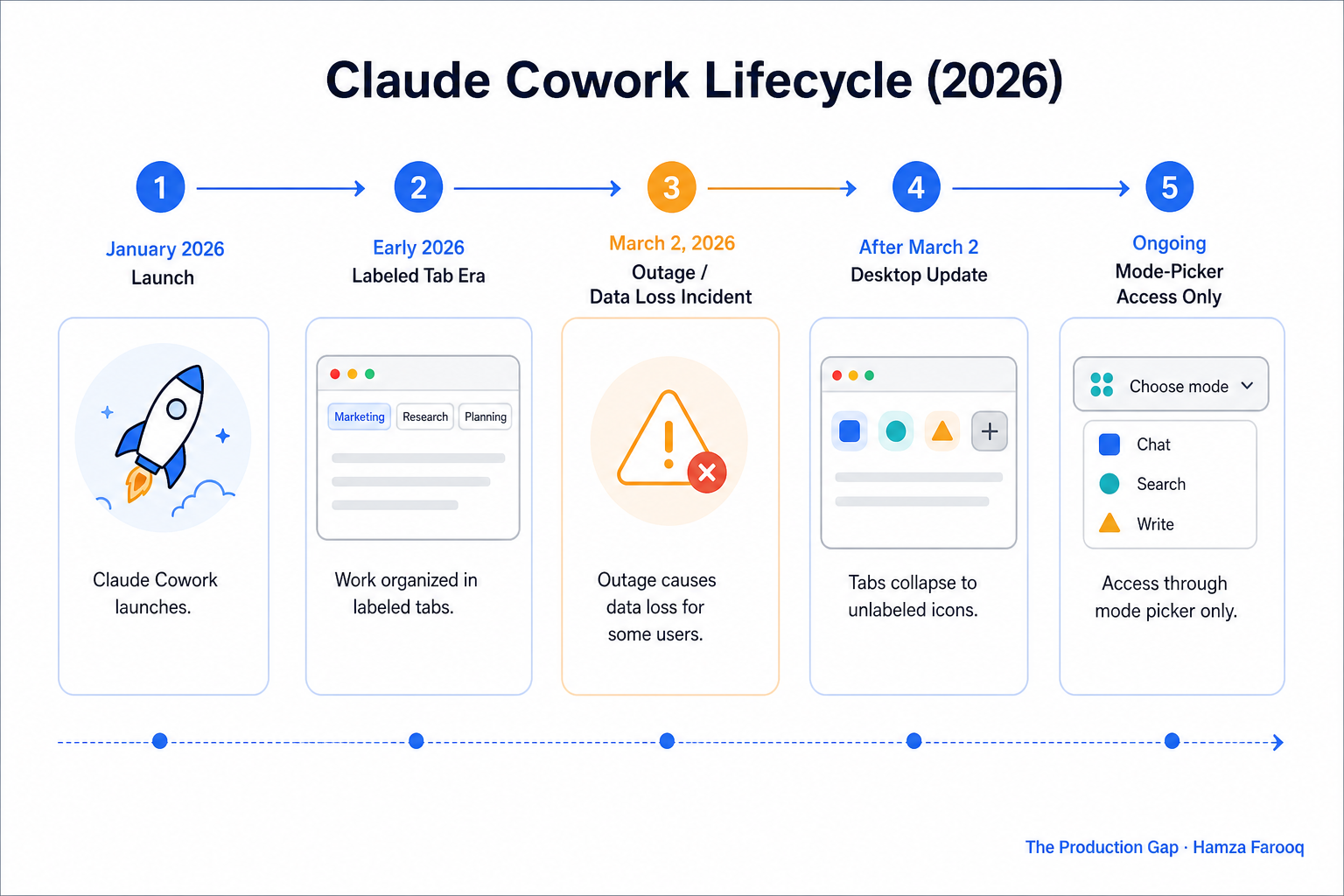
Claude Cowork launched in January 2026 as a dedicated surface for file management, scheduled tasks, and multi-step workflows. A desktop update then collapsed Chat, Cowork, and Code into unlabeled sidebar icons , removing the tab structure teams had organized their work around. Users are now reporting wiped scheduled tasks, deleted project files, and cleared session histories. Cowork wasn't killed, it was absorbed. Finding it, migrating to it, and protecting yourself from the next restructuring are three different problems. This article addresses all three.
What actually happened to Claude Cowork, and when?
Cowork launched in January 2026 with clearly labeled Chat, Cowork, and Code tabs. Teams built workflows on that structure. Then a desktop update moved all three to small, unlabeled sidebar icons without prominent notice. One Facebook user captured the confusion plainly: "if you update Claude desktop app, the claude cowork tab is gone and its merged into the regular Claude Chat... this seems to be caused by a bug". The underlying capability didn't disappear. Chat, Code, and Cowork run on the same agentic infrastructure. The stable surface did.
Is Cowork session data permanently lost?
A GitHub bug report (#30092) confirms Cowork wiped scheduled tasks and history when a user cleared cache during the March 2 outage. On Reddit, a macOS user described Claude generating project files, then finding all of them deleted overnight. Files present at the end of a session were gone by the next morning, with no warning.
How do you recover lost Cowork data?
What to do right now: - Do not clear cache until Anthropic confirms the bug is resolved; that is the highest-risk action per the GitHub report. - Check the mode picker first: many "missing" sessions appear gone only because the app defaulted to Chat mode. - Back up any recoverable local files immediately, before the next update. - File a GitHub issue with your session ID for confirmed data loss; that is the fastest path to Anthropic triage.
Cowork Migration Decision Matrix (author synthesis)
| Data Type | Loss Risk | Recovery Path | Status |
|---|---|---|---|
| Scheduled tasks | High | Rebuild manually in mode picker | No auto-restore |
| Cowork chat history | High (Reddit + Facebook reports) | Check mode picker first; file issue if absent | Partial recovery possible |
| Project files (local) | Medium (macOS overnight wipe reported) | Restore from local backup or Time Machine | User-dependent |
| Project files (cloud-synced) | Low | Check Claude.ai Projects tab | Usually intact |
How do you find and use Cowork in the new Claude interface?
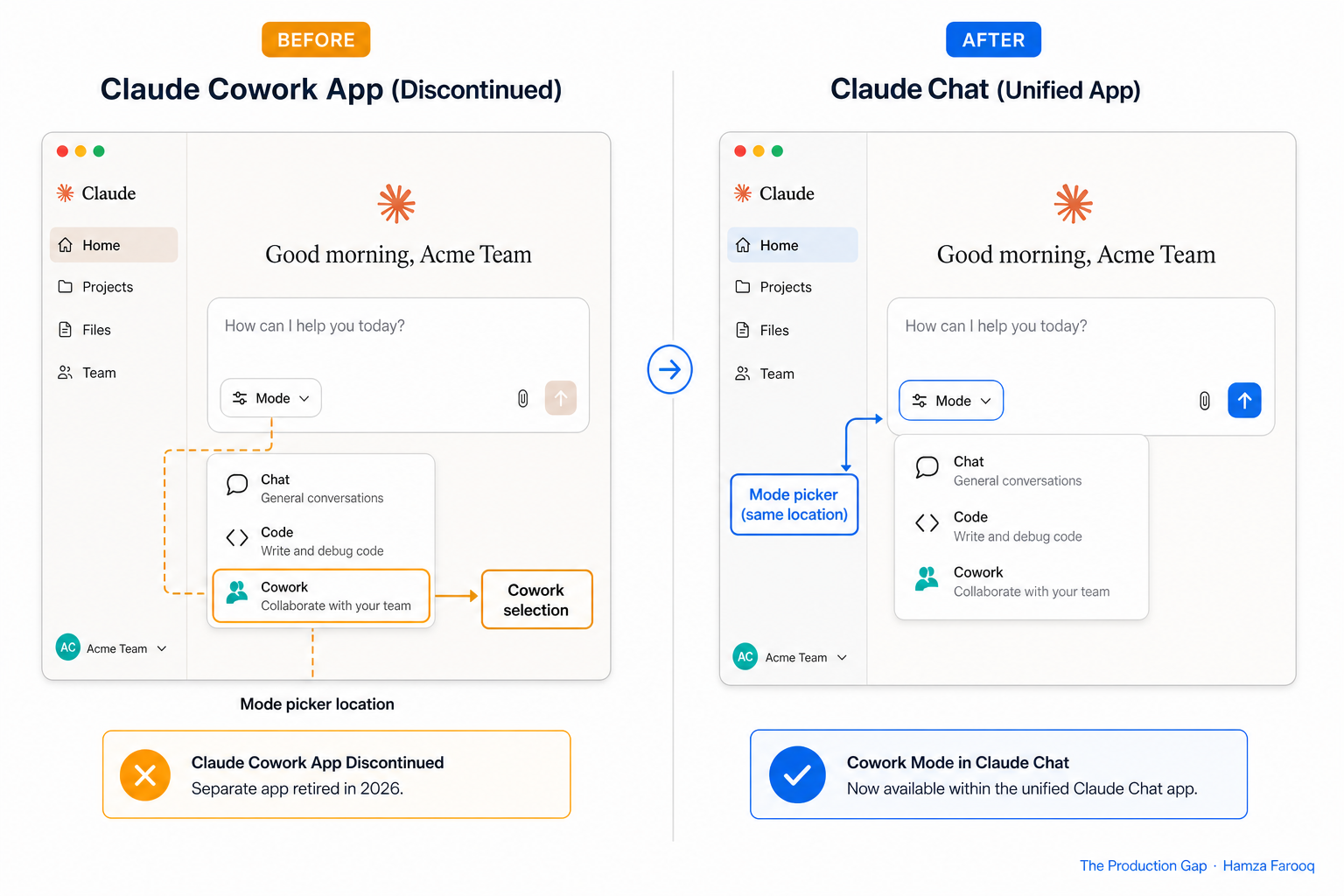
- Open Claude desktop and navigate to the Home screen.
- Locate the mode picker icon in the message input box.
- Select Cowork from the dropdown.
- Force-quit and relaunch if Cowork does not appear before assuming it is unavailable.
- Rebuild scheduled tasks from scratch; they do not migrate automatically.
Session isolation between Chat and Cowork is now something you manage, not something the app enforces. If you do not consciously select Cowork mode before starting a session, context can bleed between modes. The agentic infrastructure is identical across all three modes; only how you navigate to them has changed.
Should you rebuild on Claude's unified interface, or move to an open-source alternative?
Teams who need workflow stability should build against Claude's agentic API rather than any specific UI surface, and evaluate open-source alternatives like OpenWork if a standalone, UI-stable desktop experience is a hard requirement.
The teams hit hardest were those that anchored workflows to the standalone UI tab rather than the underlying API. That is the core lesson from this transition (the framework used in this guide): build your automation logic against an API, where versioning is explicit, not against a UI surface that can change with any update.
Cowork Path Selection Matrix
| Path | Best For | Stability Risk | Cost |
|---|---|---|---|
| Rebuild on Claude unified interface | Teams on Claude Pro/Team with simple workflows | Medium; UI may restructure again | No additional cost |
| Build against Claude's agentic API | Teams with technical resources; complex automations | Low; API versioning more stable than UI | Dev time plus API costs |
| Migrate to OpenWork (open-source) | Teams needing stable standalone desktop app | Low; self-hosted | Free; self-hosted |
OpenWork is a free, self-hosted desktop app for macOS, Windows, and Linux where AI agents work on your files. Because it is self-hosted, no vendor update can restructure its interface without your involvement. If Cowork's merger has disrupted your team's processes, treat it as a prompt to move workflow logic to the API layer. UI reshuffles are an ongoing reality of early-stage AI products, and a practical rule of thumb is to assume any named UI surface can change without notice.
Frequently Asked Questions
Where did Claude Cowork go after the desktop app update? Cowork was merged into the main Claude interface and is now accessible via the mode picker in the message input box on the Home screen. The dedicated tab was removed as part of a desktop update that collapsed all three modes into unlabeled sidebar icons.
How do I recover lost Cowork sessions and scheduled tasks? Check the mode picker in Cowork mode first; many sessions appear missing only because the app defaulted to Chat after the update. For confirmed loss, avoid clearing cache, back up local files immediately, and file a GitHub issue with your session ID. Scheduled tasks have no auto-restore path and must be rebuilt manually.
Is Claude Cowork being discontinued or just merged into Claude chat? Merged, not discontinued. The agentic capability is intact. The removal of the dedicated tab without a formal deprecation notice means teams should treat Cowork as a mode within a unified interface rather than a standalone committed product surface.
What are the best open-source alternatives to Claude Cowork? OpenWork is the most direct option: a free, self-hosted desktop app for macOS, Windows, and Linux that offers the standalone experience Cowork originally promised, without vendor UI risk. Teams with engineering resources should also consider building directly against Claude's agentic API, which provides the same underlying capabilities Cowork used, but with explicit versioning and no dependency on Anthropic's UI decisions.
Conclusion
Cowork went from a labeled, dedicated tab to an unlabeled mode inside a unified interface, without a formal deprecation notice. Early adopters did not lose agentic AI capability. They lost the stable surface they had built pipelines around, which is a different problem and an expensive one to rebuild from.
Build workflow logic against the agentic API, not a UI tab. Export every recoverable Cowork file, confirm sessions via the mode picker, and review the Claude API documentation to move your automation logic off the UI surface before the next update changes it again.
Learn from me

Claude Code in Practice, my Maven cohort. Master Claude Code from fundamentals to advanced orchestration: skills, subagents, hooks, MCP, and production automation. Join the next cohort →
Hire us
Traversaal.ai. We're a team of forward deployed engineers solving the toughest AI problems for Fortune 100 companies: document intelligence, agentic data platforms, and real-time web intelligence, deployed in production. Work with our team to deploy your next agentic ecosystem. Talk to Traversaal.ai →
Join us
Want to solve these problems with us? We're always looking for forward deployed engineers who want to ship production AI. jobs@traversaal.ai
